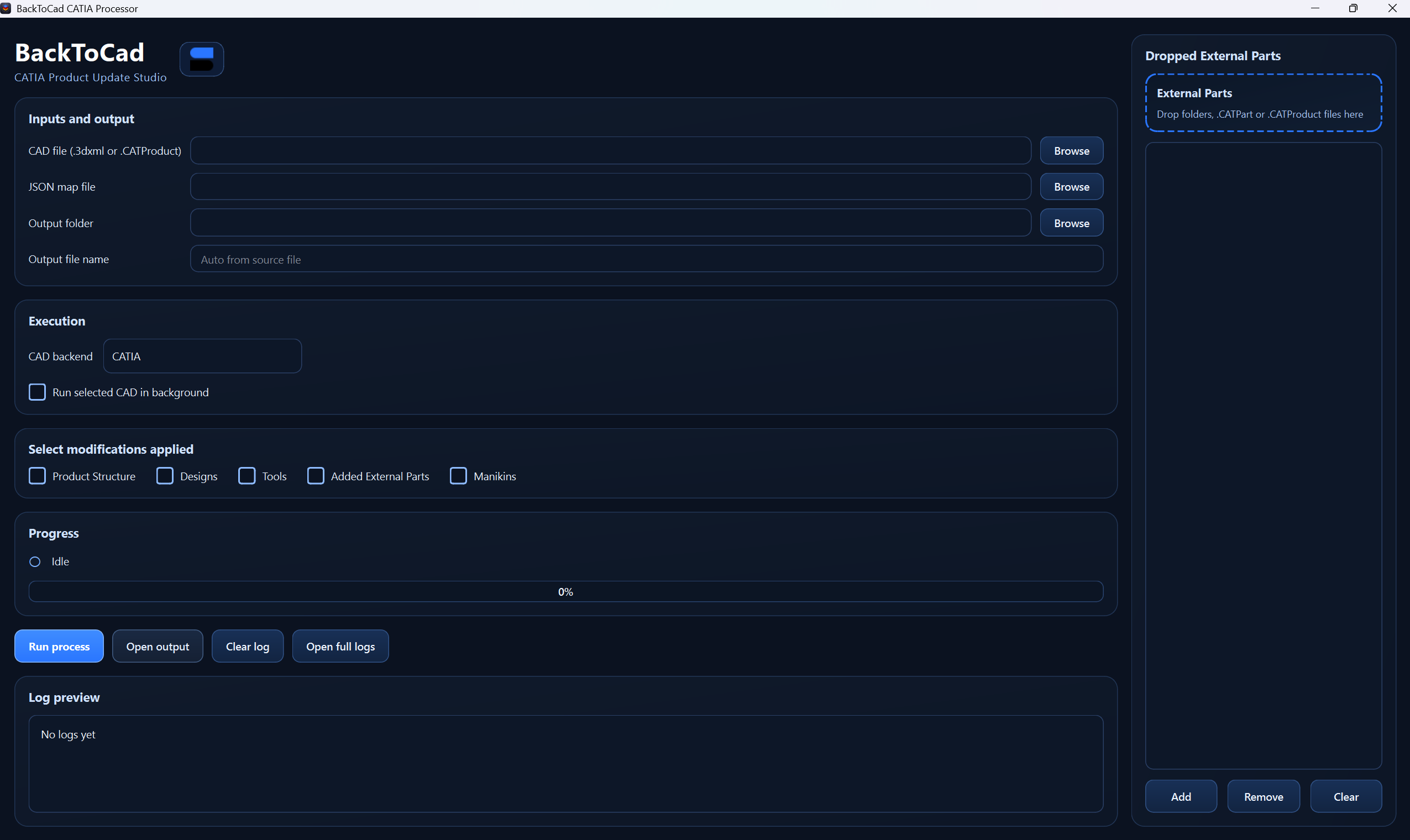
Overview
BackToCAD is a utility tool that allows users to reapply modifications produced in Skyreal back onto the original CAD structure.
Its purpose is to simplify the round-trip workflow between the VR environment and CAD by using the source CAD file together with the JSON data exported from Skyreal.
This standalone application runs independently from Skyreal and is designed to provide a generic Back to CAD workflow compatible with different CAD software environments.
Create a Back To Cad File
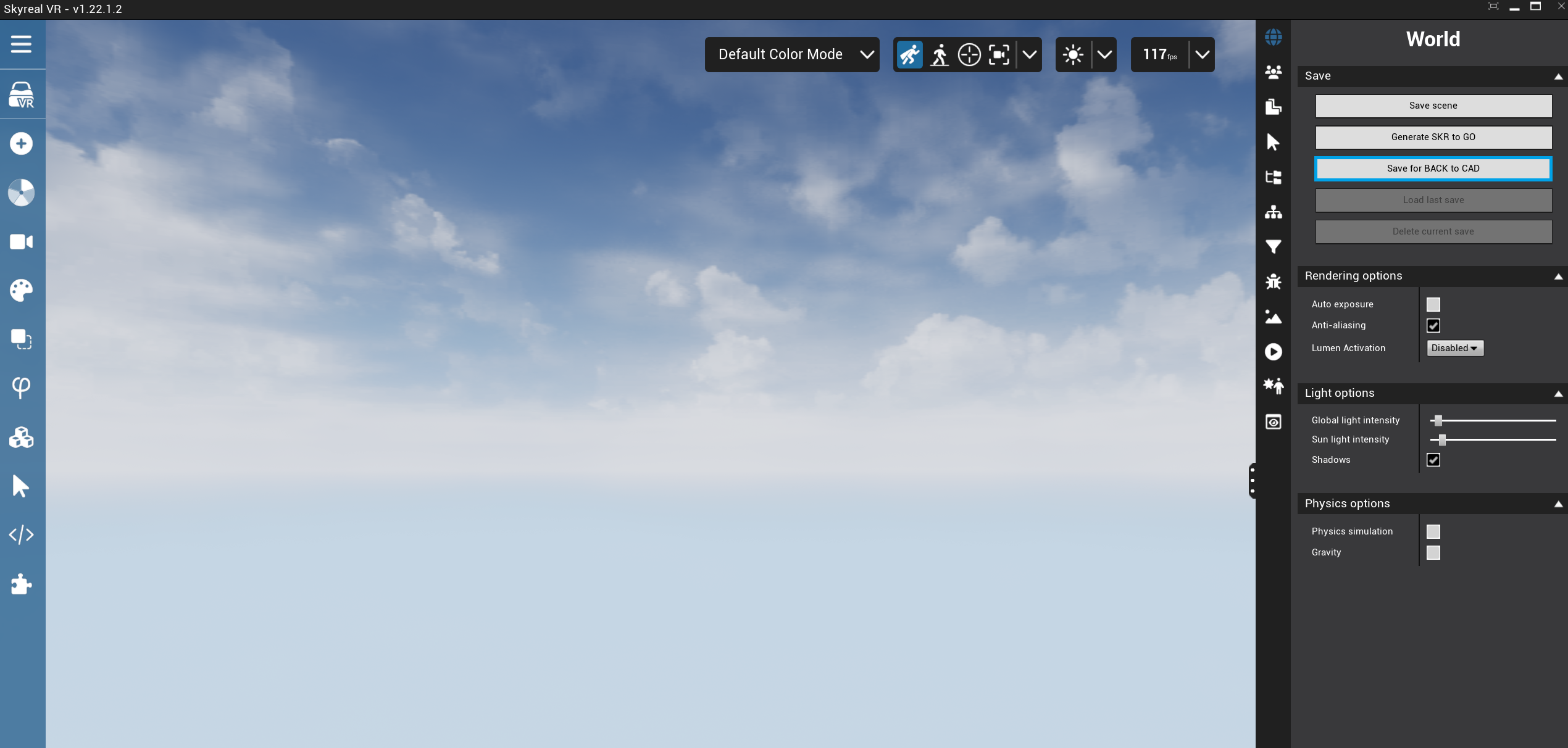
Once all the required modifications have been completed in Skyreal:
-
Open the save options.
-
Select Save for Back To CAD.
-
Save and retrieve the generated JSON file.
-
Use this JSON file as input for the Back To CAD tool.
Usage
The Back To CAD application is used to apply modifications exported from Skyreal back onto an original CAD file and generate an updated CAD file.
Prerequisites
Before launching the process, make sure you have:
-
the original CAD file,
-
the Back To CAD JSON file exported from Skyreal,
-
the required CAD software installed on your computer,
-
any external CAD parts or tool CAD references required by the update process, if applicable.
Steps
Launch the Back To CAD application.
1. Select the input files
In the Select JSON and CAD files section:
-
drop or select the Back To CAD JSON file exported from Skyreal,
-
drop or select the main CAD file to update.
2. Choose the CAD backend
In the Choose CAD software section, select the CAD backend to use for the update process:
-
CATIA,
-
Navisworks,
-
SolidWorks,
-
NX.
Select the backend corresponding to the CAD file and CAD software installed on your workstation.
3. Choose the imports to apply
In the Choose imports to apply section, select which data should be reapplied to the CAD model:
-
Product Structure: applies product structure changes.
-
Designs: creates the design objects generated in Skyreal, such as boxes, spheres, or other design elements.
-
Manikins: applies manikin data exported from Skyreal.
-
Tools: applies tool references when tool CAD files are provided.
-
External Parts: imports external CAD parts into the CAD scene using CAD Forge.
You can enable only the categories required for your update.
4. Add tools or external parts if required
If the JSON references additional CAD files, use the Advanced panel on the right side:
-
External Part Selection: add external CAD parts required by the process.
-
Tools CAD: add tool CAD references if tools are used in the Back To CAD export.
This is typically required when several CAD files were merged into the same Skyreal project, or when tools or external parts are not contained directly in the main CAD file.
5. Launch the process
Click Launch Process to start the Back To CAD update. Once the process is complete, retrieve the generated updated CAD file.