
Intro
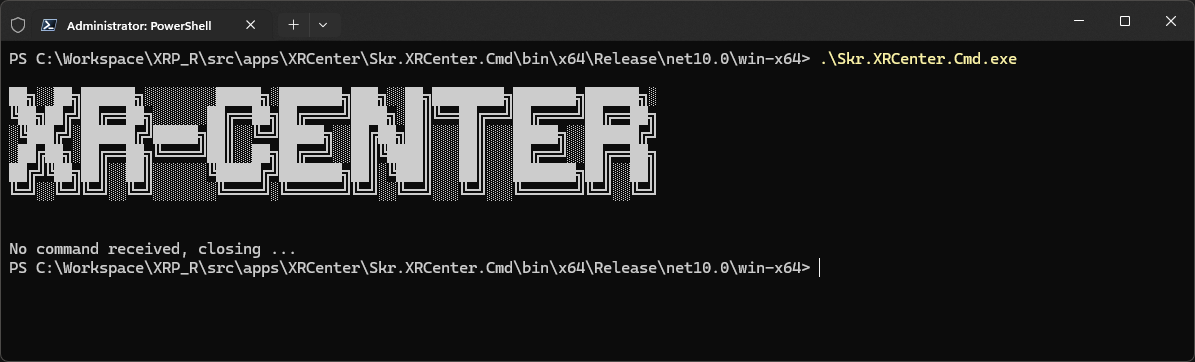
XR Center provides a CLI tool to interact and manage some workflows. This solution can be preferred to using the API as it can handle full workflows without having to handle authentication or code.
This CLI tool is exposed throught the executable Skr.XRCenter.Cmd.exe and follows POSIX conventions. Values returned are formatted into json.
Configure the CLI
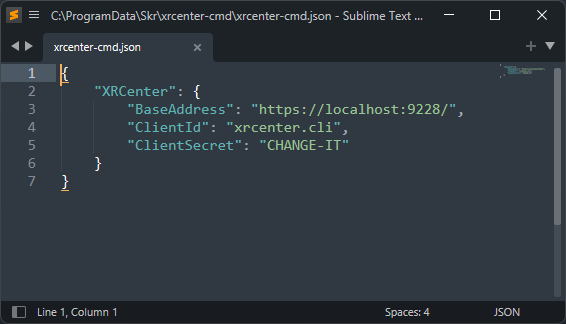
Ensure that the json configuration file of the CLI matches the configuration of your XR Center.
By default, it can be found at %programdata%/Skr/xrcenter-cmd/xrcenter-cmd.json
Get the documentation
The CLI is auto-documented : you can access it via using -?, -h or --help on any command.
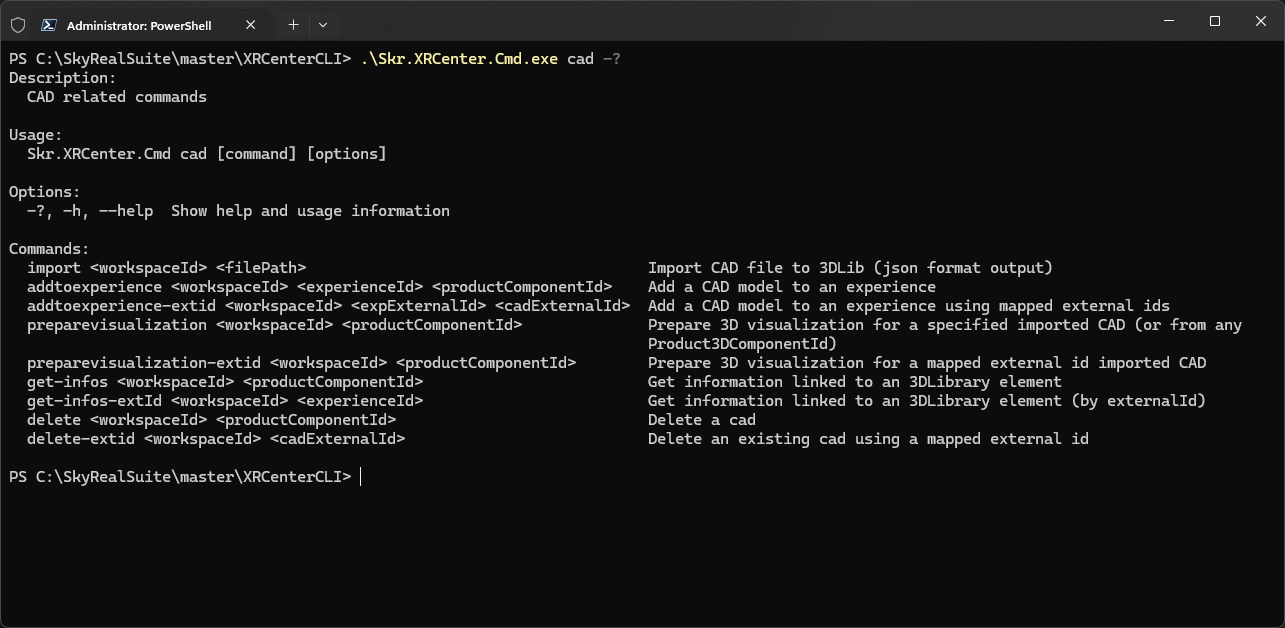
cad -?
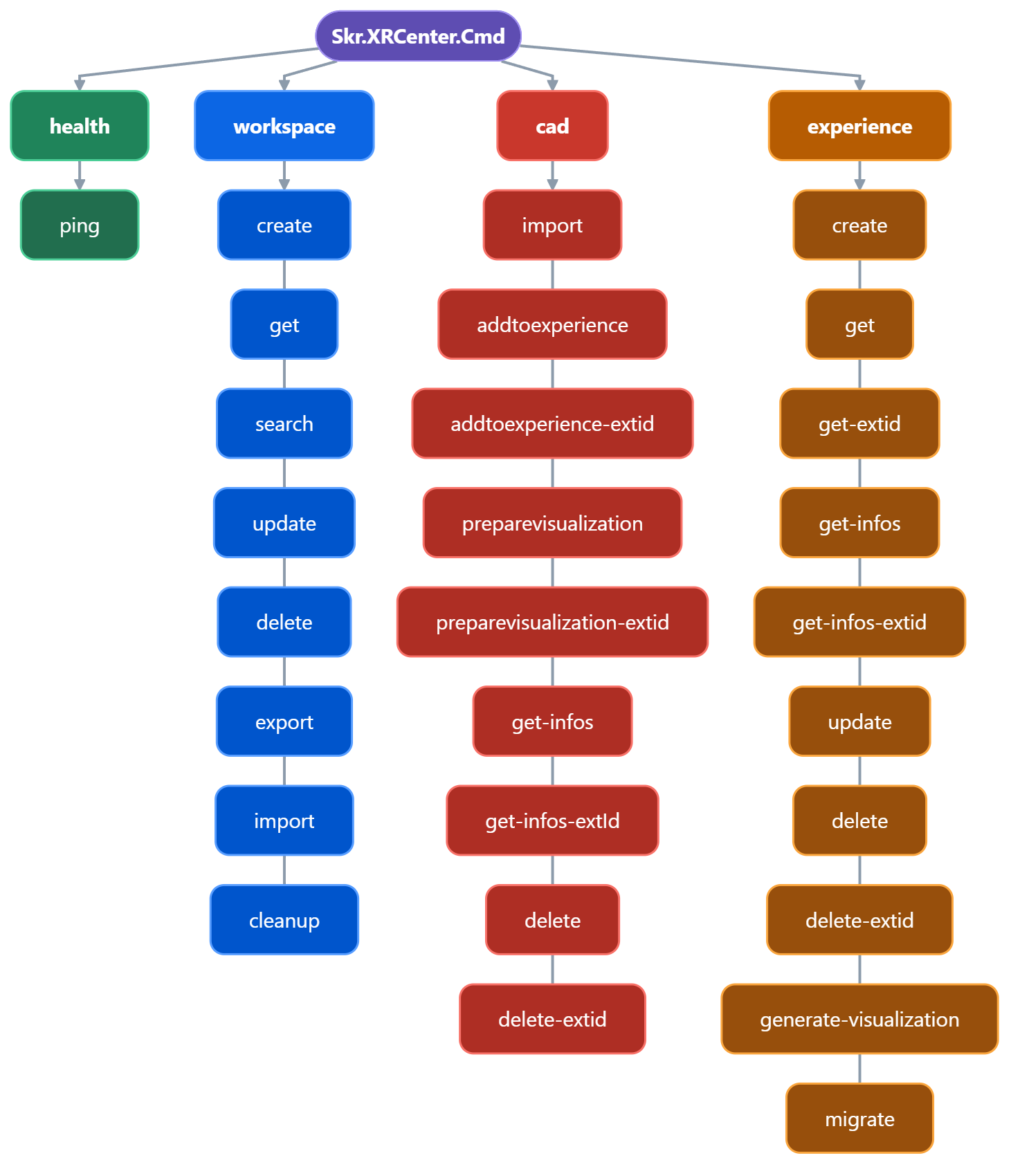
Command reference
Every command follows the pattern Skr.XRCenter.Cmd.exe <group> <command> [arguments] [options]. Add -? to any command to see its exact arguments and options.
health
|
Command |
What it does |
|---|---|
|
|
Checks the configuration and the connection to XR Center. |
workspace
|
Command |
What it does |
|---|---|
|
|
Creates a workspace ( |
|
|
Returns a workspace (JSON). |
|
|
Searches workspaces by name (JSON array). |
|
|
Updates a workspace. |
|
|
Deletes a workspace. |
|
|
Exports a workspace to a file. |
|
|
Imports a workspace from a file. |
|
|
Cleans up the data of a workspace. |
cad
|
Command |
What it does |
|---|---|
|
|
Imports a CAD file into the 3D Library and prepares its visualization (JSON output). |
|
|
Adds a CAD from the 3D Library to an experience. |
|
|
Same, using the CAD external ID. |
|
|
Prepares the 3D visualization of an imported CAD (or of any Product3DComponent). |
|
|
Same, using the CAD external ID. |
|
|
Returns the information linked to a 3D Library element. |
|
|
Same, using the CAD external ID. |
|
|
Deletes a CAD. |
|
|
Same, using the CAD external ID. |
experience
|
Command |
What it does |
|---|---|
|
|
Creates an experience ( |
|
|
Returns an experience (JSON). |
|
|
Same, using the experience external ID. |
|
|
Returns the information linked to an experience. |
|
|
Same, using the experience external ID. |
|
|
Updates an experience. |
|
|
Deletes an experience. |
|
|
Same, using the experience external ID. |
|
|
Generates the VR visualization of an experience. |
|
|
Migrates the visualization of an experience to the latest engine version. |
External IDs
To drive XR Center from another system (a PLM, a script…), map your own identifiers to XR Center elements:
-
cad import --ext-id <id>andexperience create --ext-id <id>store your ID with the new element. -
The
-extidcommands then take this ID instead of the XR Center one: no need to keep track of XR Center IDs. -
--copy-authorizations-ext-id <id>copies the access rights of another element, given by its external ID.
Main CAD import options
|
Option |
Effect |
|---|---|
|
|
Tessellation precision (1 by default). |
|
|
Uses the legacy SkyPrep import settings and ignores the other Spatial options, for more stability. |
|
|
Tries to extract the CAD visualization before tessellating, and falls back automatically. |
|
|
Merges meshes up to this number of polygons (100,000 by default, 0 to disable). |
|
|
Splits meshes above this number of polygons (disabled by default, 1,500,000 recommended). |
|
|
Imports using several processes. |
|
|
Deduplicates instances during import. |
|
|
Skips graphical PMI to import faster (recommended for CATIA V5). |
|
|
Translates all JT properties. |
|
|
Expands the Part3D structure (bigger product tree). |
|
|
Skips the 3D engine visualization step. |
|
|
Accepts files from education-licensed CAD software. |
How to
Are are some sample powershell scripts that you can find at %programdata%/Skr/xrcenter-cmd/docs
Create a workspace
### Create new workspace ###
$WorkspaceName = "Workspace Name"
$WorkspaceDescription = "Workspace Description"
Write-Output "Create a new workspace ($WorkspaceName)"

$WorkspaceJson = Invoke-Expression "&'$CliExePath' workspace create --name '$WorkspaceName' --description '$WorkspaceDescription'"
if (!($LASTEXITCODE -eq 0)) {
	Write-Output "An error occured"
	Return
}
$WorkspaceObject = ConvertFrom-Json $WorkspaceJson
$WorkspaceId = $WorkspaceObject.EntityId
Write-Output "$WorkspaceJson"
Write-Output "Workspace created with ID $WorkspaceId`r`n"
Import CAD
### Import cad into 3d lib and prepare visualization ###
# Define your workspaceId and CadPath to your values #
$WorkspaceId = "019d29a3-e3cf-718b-9321-368b87ccde83"
$Cad1Path = "C:\pathToYourCad\SphereProduct.CATProduct"

Write-Output "Import CAD in workspace 3D lib ('$Cad1Path')"

$Cad1RootId = Invoke-Expression "&'$CliExePath' cad import $WorkspaceId '$Cad1Path'"
if (!($LASTEXITCODE -eq 0)) {
	Write-Output "An error occured"
	Return
}
Write-Output "Cad imported with Root Id $Cad1RootId`r`n"
Create and compose and experience
Full script showing how to create a workspace, import 2 cads into the 3D Library, create an experience and add the 2 newly imported Data Library elements from the 3D Library to it.
### XrCenter CLI path ###
$CliExePath = "C:\SkyRealSuite\master\XRCenterCLI\Skr.XRCenter.Cmd.exe"
$DateTime = Get-Date -DisplayHint Date

If (!(Test-Path -Path $CliExePath -PathType Leaf)) {
	Write-Output "ERROR file path $CliExePath doesn't exists"
	Return
}

### Ping XR Center ###
Write-Output "Ping XR-Center"
$PingResult = Invoke-Expression "&'$CliExePath' health ping"
if ($PingResult.Contains("failed")) {
	Write-Output "Unable to connect to XR Center"
	Return
}

### Create new workspace ###
$WorkspaceName = Get-Date -UFormat "%A_%m/%d/%Y_%R"
$WorkspaceDescription = $DateTime
Write-Output "Create a new workspace ($WorkspaceName)"

$WorkspaceJson = Invoke-Expression "&'$CliExePath' workspace create --name '$WorkspaceName' --description '$WorkspaceDescription'"
if (!($LASTEXITCODE -eq 0)) {
	Write-Output "An error occured"
	Return
}
$WorkspaceObject = ConvertFrom-Json $WorkspaceJson
$WorkspaceId = $WorkspaceObject.EntityId
Write-Output "Workspace created with ID $WorkspaceId`r`n"

### Create new Experience ###
Write-Output "Create a new experience (in workspace $WorkspaceId)"

$ExperienceName = "Experience Name"
$ExperienceDescription = "Experience Description"

$ExperienceJson = Invoke-Expression "&'$CliExePath' experience create $WorkspaceId --name '$ExperienceName' --description '$ExperienceDescription'"
if (!($LASTEXITCODE -eq 0)) {
	Write-Output "An error occured"
	Return
}
$ExperienceObject = ConvertFrom-Json $ExperienceJson
$ExperienceId = $ExperienceObject.EntityId

Write-Output "Experience created with ID $ExperienceId`r`n"

### Import 1st cad 3d lib ###
$Cad1Path = "C:\ProgramData\Skr\xrcenter-cmd\docs\sphere\SphereProduct.CATProduct"
Write-Output "Import CAD in workspace 3D lib ('$Cad1Path')"

$Cad1RootId = Invoke-Expression "&'$CliExePath' cad import $WorkspaceId '$Cad1Path'"
if (!($LASTEXITCODE -eq 0)) {
	Write-Output "An error occured"
	Return
}
Write-Output "Cad imported with Root Id $Cad1RootId`r`n"

### Import 2nd cad 3d lib ###
$Cad2Path = "C:\ProgramData\Skr\xrcenter-cmd\docs\plane\planes.CATProduct"
Write-Output "Import CAD in workspace 3D lib ('$Cad2Path')"

$Cad2RootId = Invoke-Expression "&'$CliExePath' cad import $WorkspaceId '$Cad2Path'"
if (!($LASTEXITCODE -eq 0)) {
	Write-Output "An error occured"
	Return
}
Write-Output "Cad imported with Root Id $Cad2RootId`r`n"

### Add CAD1 to experience ###
Write-Output "Add CAD with Root Id $Cad1RootId to experience $ExperienceId"

Invoke-Expression "&'$CliExePath' cad addtoexperience $WorkspaceId $ExperienceId $Cad1RootId --disable-3d-engine-visualization true"
if (!($LASTEXITCODE -eq 0)) {
	Write-Output "An error occured"
	Return
}

Write-Output "Cad added to experience`r`n"

### Add CAD2 to experience ###
Write-Output "Add CAD with Root Id $Cad2RootId to experience $ExperienceId"

Invoke-Expression "&'$CliExePath' cad addtoexperience $WorkspaceId $ExperienceId $Cad2RootId --disable-3d-engine-visualization true"
if (!($LASTEXITCODE -eq 0)) {
	Write-Output "An error occured"
	Return
}

Write-Output "Cad added to experience`r`n"