
This tool is available in the tool library once it has been loaded into the experience, as well as in the tablet’s extension menu in VR
To use it, follow these steps:
Add the command to your VR menu so that it appears in the ‘Tools’ menu, giving you a dedicated command; or, once activated in the Marketplace, you’ll find it in the tablet’s extensions menu (puzzle logo).
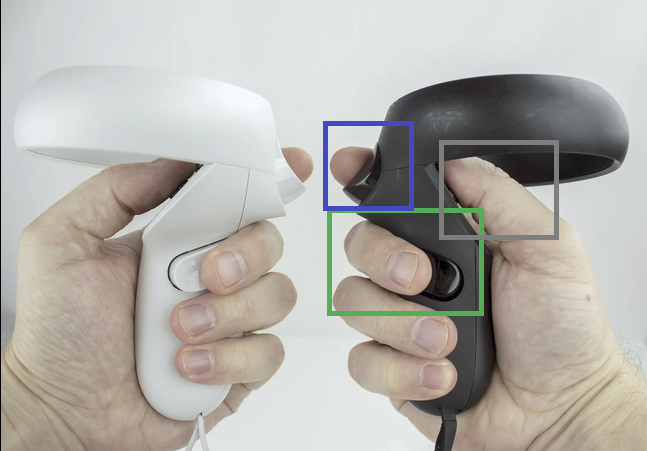
Once the command has been launched, there are three buttons you can use to control the endoscope:
-
The button next to the green rectangle, which you need to hold down to operate the other two buttons on the endoscope.
-
The ‘trigger’ button next to the blue square is used to extend or retract the probe.
-
Finally, the joystick near your thumb (pink square in the image) is used to move the endoscope’s camera.