
Product Explorer is available via the overview of the experience created previously. The button to access it is located above the ‘Play Skyreal VR’ button.
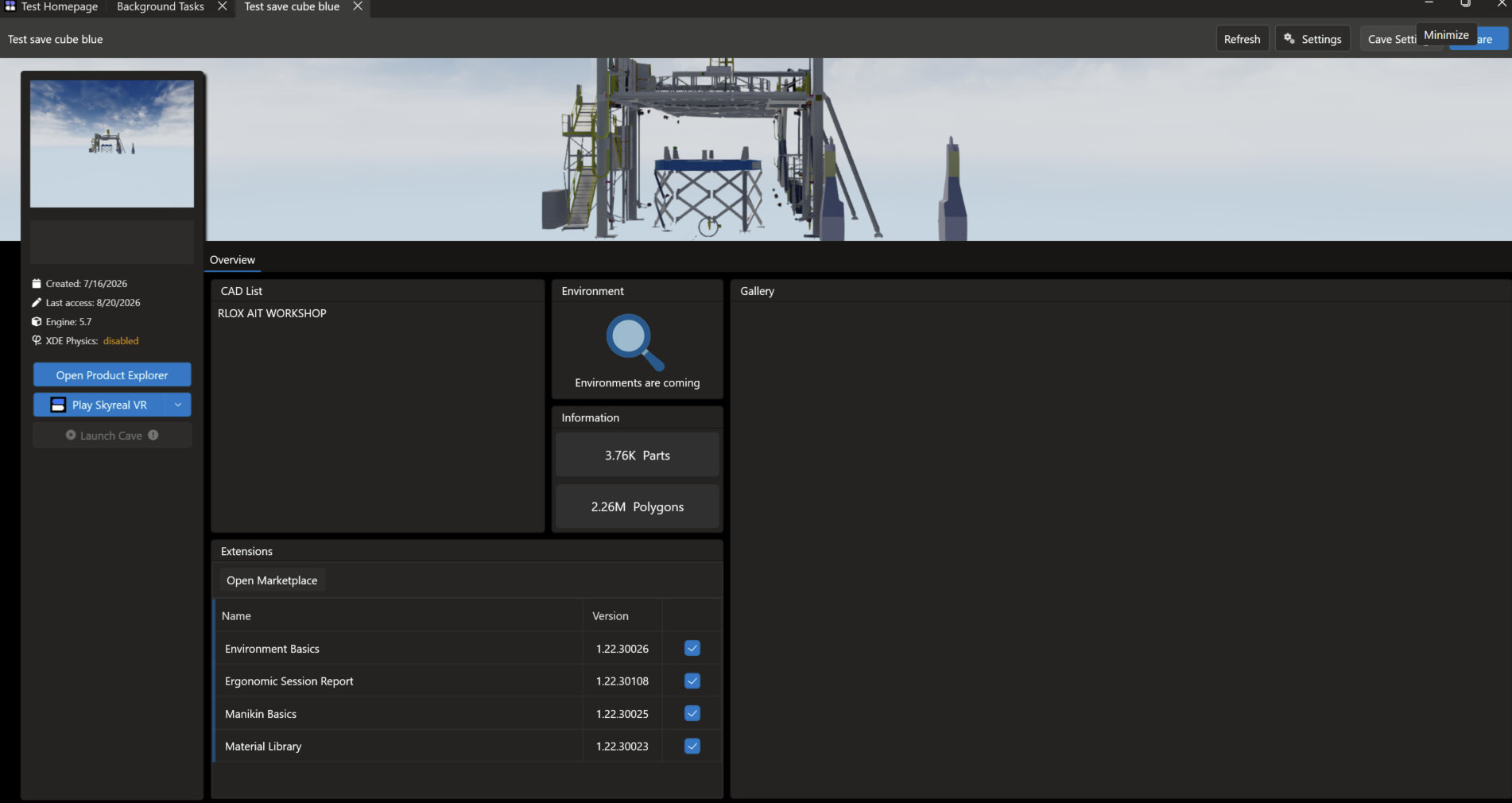
Please note that Product Explorer is only available via Skyreal VR experiences and not via Editor experiences
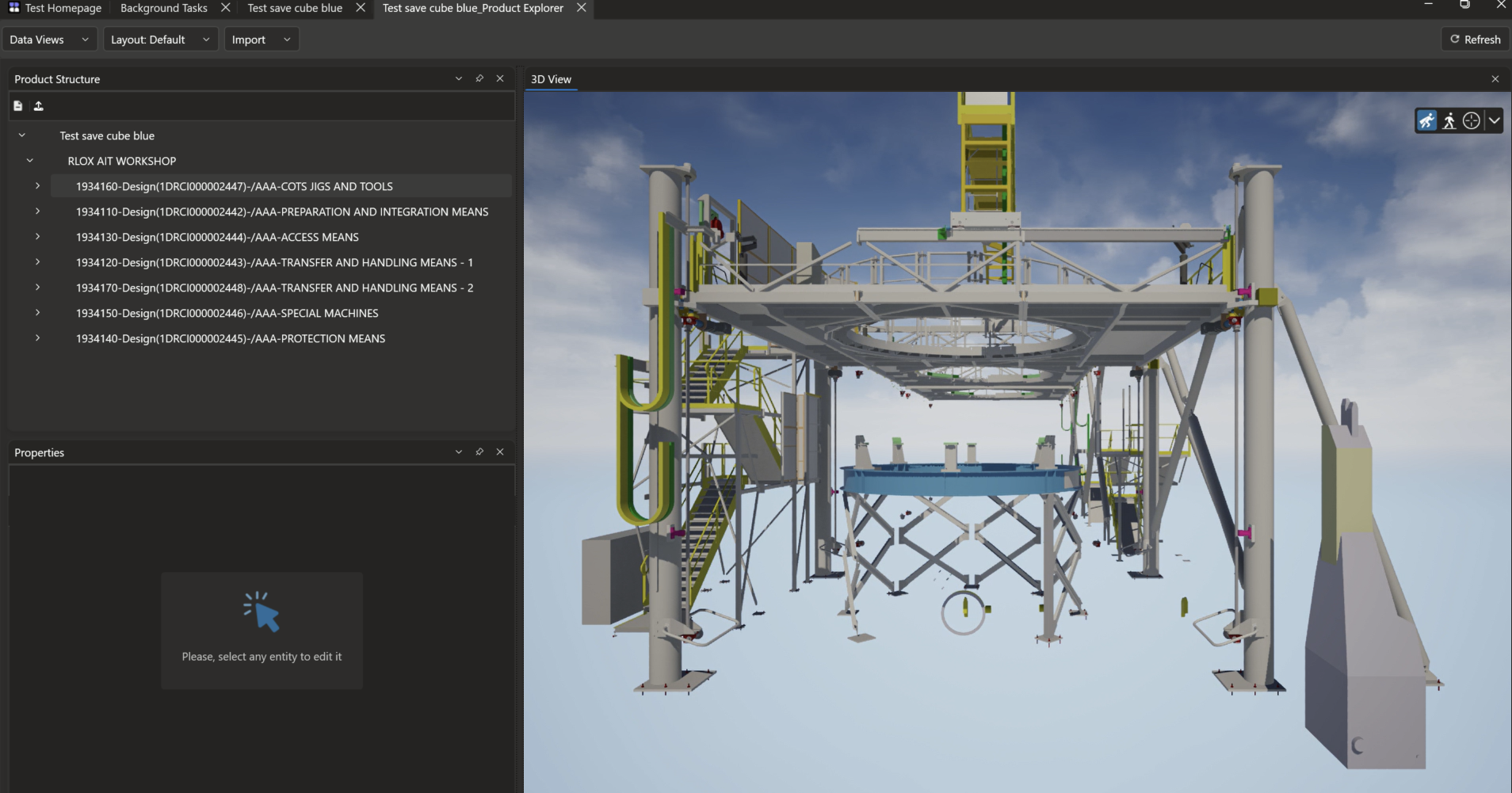
The various commands available in Product Explorer are:
-
Merge
-
Add CAD
-
Option to have a viewer and multiple views, such as part properties, product structure, etc.
-
Merge
Open product explorer
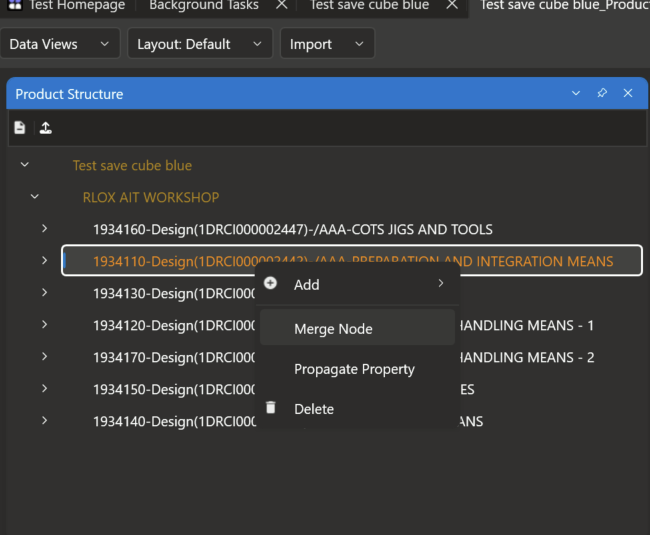
Click on the node you want to merge, then right-click → merge node
-
Add CAD
Open Product Explorer
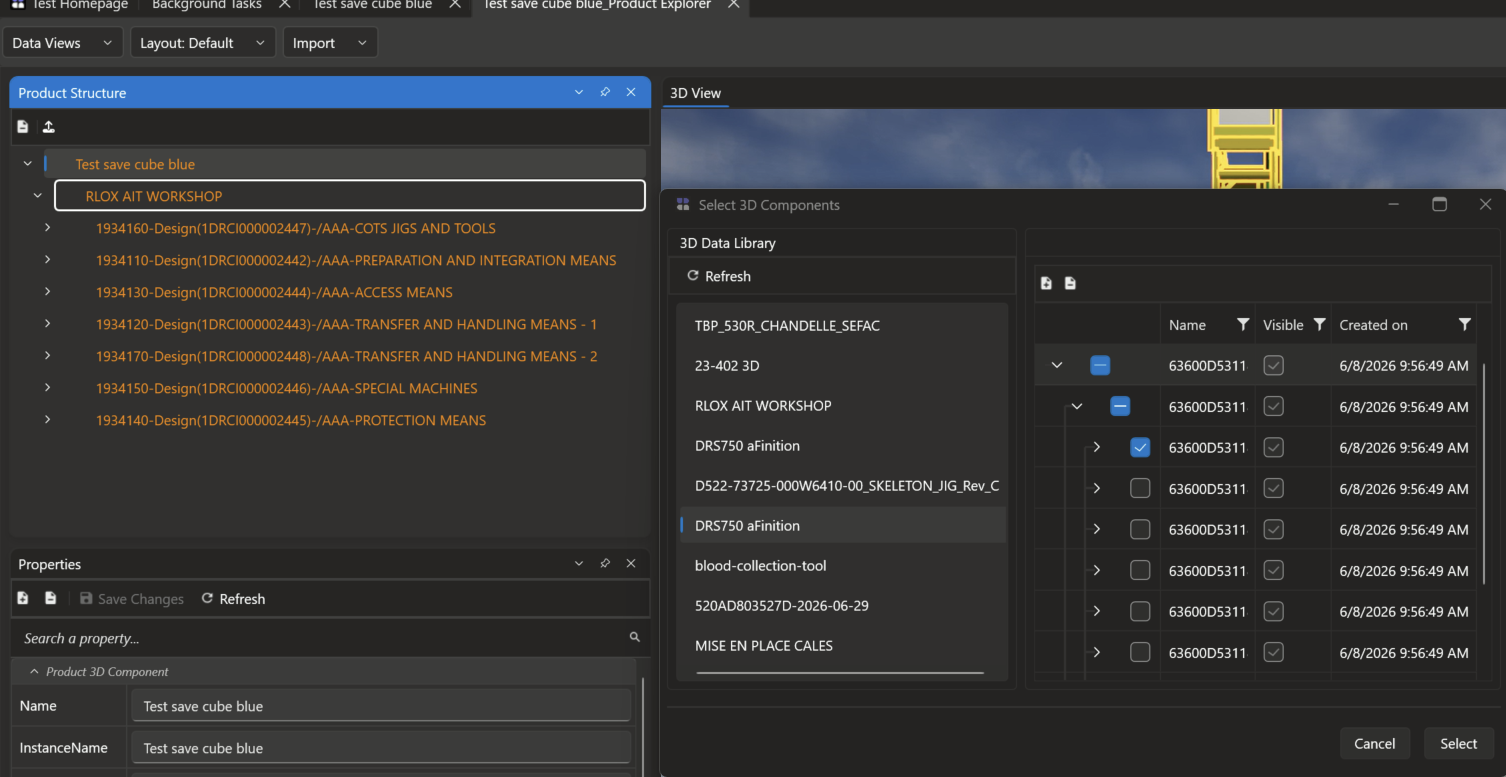
Click the main parent node, then right-click and select Add -> 3D component
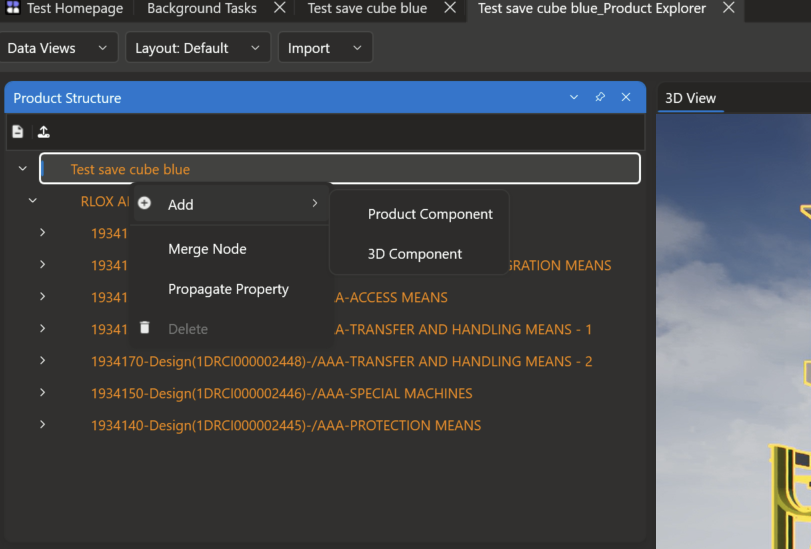
This opens the 3D library and allows you to add one or more CAD files to your scene.
You can also create parent nodes manually by right-clicking → Add → Product Component