
RPC
In a collaborative session, one Skyreal VR instance is the server and the others are clients. To make your extension work in collaboration, keep three rules in mind:
-
The server holds the truth. Replicated data only goes from the server to the clients.
-
A client can only send requests (RPC) to the server, through an object it owns.
-
A client cannot spawn a replicated actor itself, nor get a return value from a request.
This page shows how to apply them in Blueprint. For the full picture, see the Unreal Engine networking overview.
Which objects exist where
|
Class |
How many |
On the server |
On the clients |
|---|---|---|---|
|
Game Instance |
One per application |
Not replicated |
Not replicated |
|
Game Mode |
One per map |
Yes |
No |
|
Game State |
One per map |
Yes |
Yes |
|
Player Controller |
One per user |
Yes, all of them |
Only the local user's |
|
Pawn |
One per user |
Yes |
Yes, all of them |
For example, every pawn exists on every instance: this is why you see the other users' avatars. A Player Controller represents a user's behavior, so the other users never see it.
Replicate data from the server to the clients
-
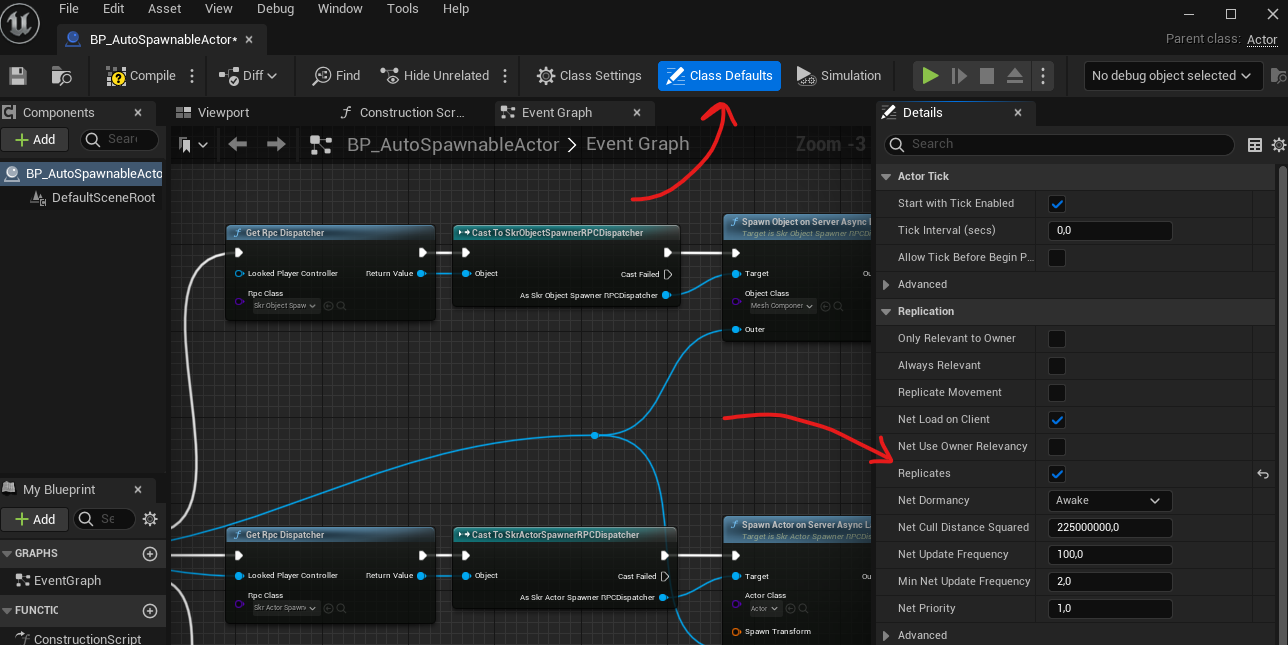
In your actor's Class Defaults, tick Replicates. The actor now appears on every client.
-
To sync its position and rotation, also tick Replicate Movement. Only moves made on the server are replicated.
-
For each variable to sync, set Replication in its Details panel:
-
Replicated: the value is synced, nothing else happens.
-
RepNotify: the value is synced, then an
OnRep_function runs on each client. Use it to react to the change.
-
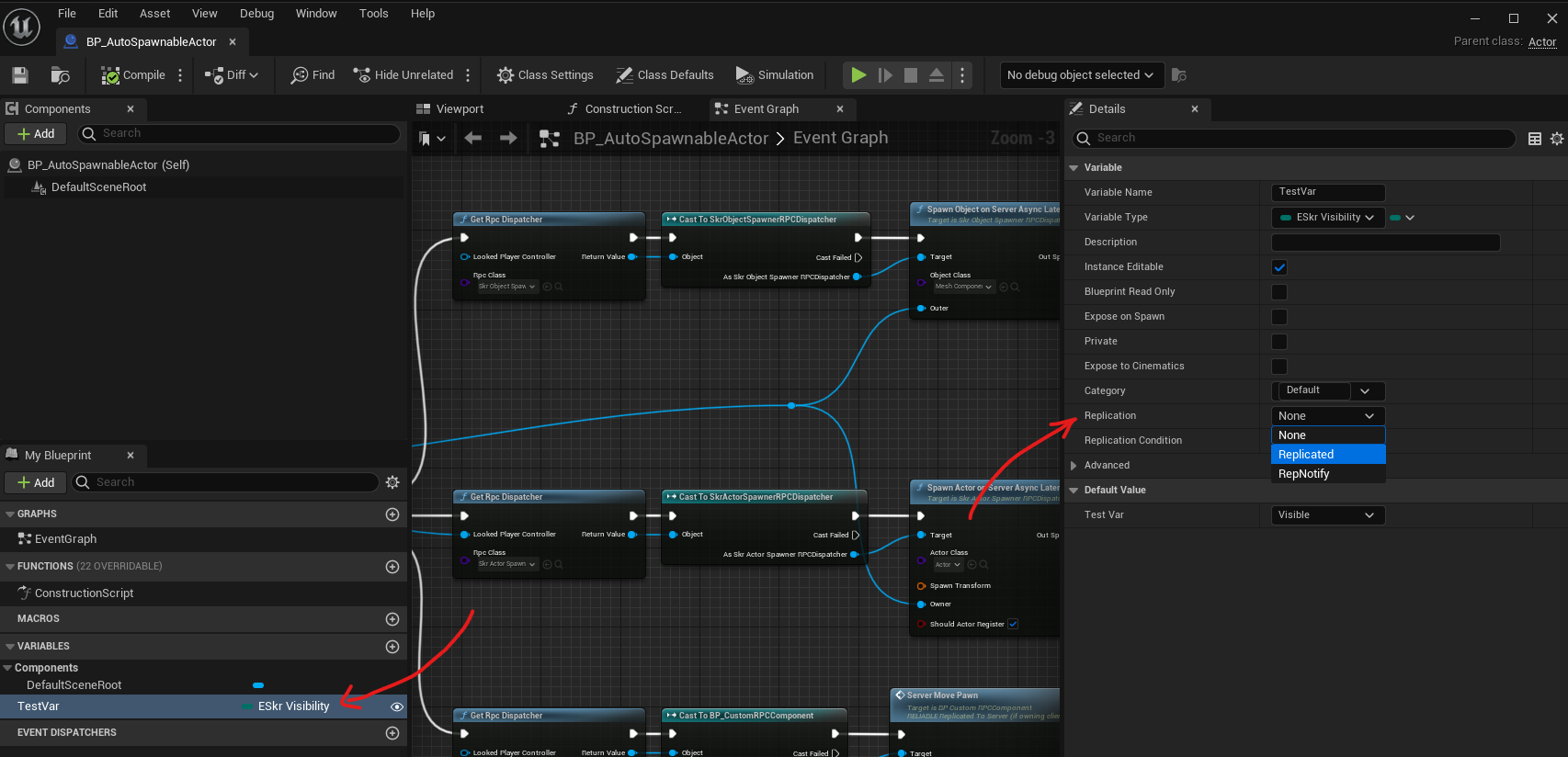
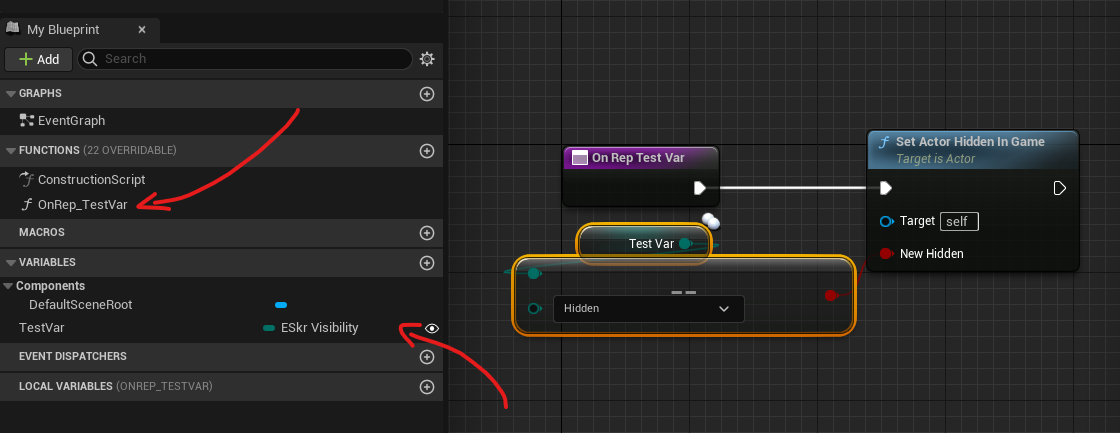
Example: Unreal does not replicate an actor's visibility. To sync it, the actor holds a TestVar variable set to RepNotify. When the server changes it, OnRep_TestVar runs on each client and applies the visibility locally.
Send a request to the server (RPC)
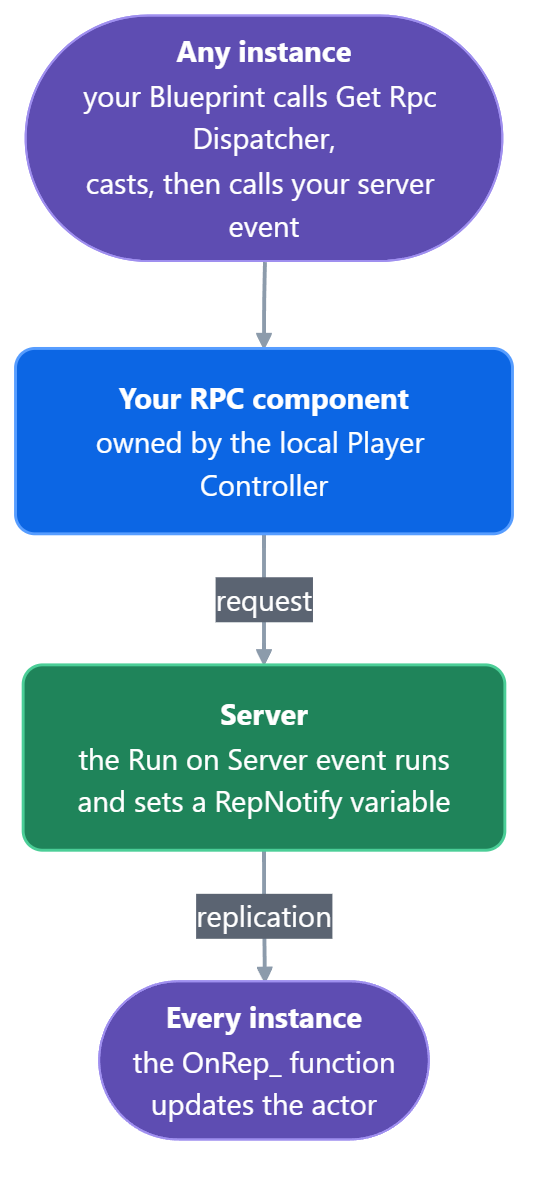
A client can only call the server through an object it owns, such as its Player Controller. Skyreal VR gives each user an RPC component for this: you declare it once, and Skyreal creates it for every user with the right ownership.
1. Declare your RPC component
-
In your extension's
RegistrableAssetsfolder, create a data asset of type SkrRPCInterfaceComponentDescription.
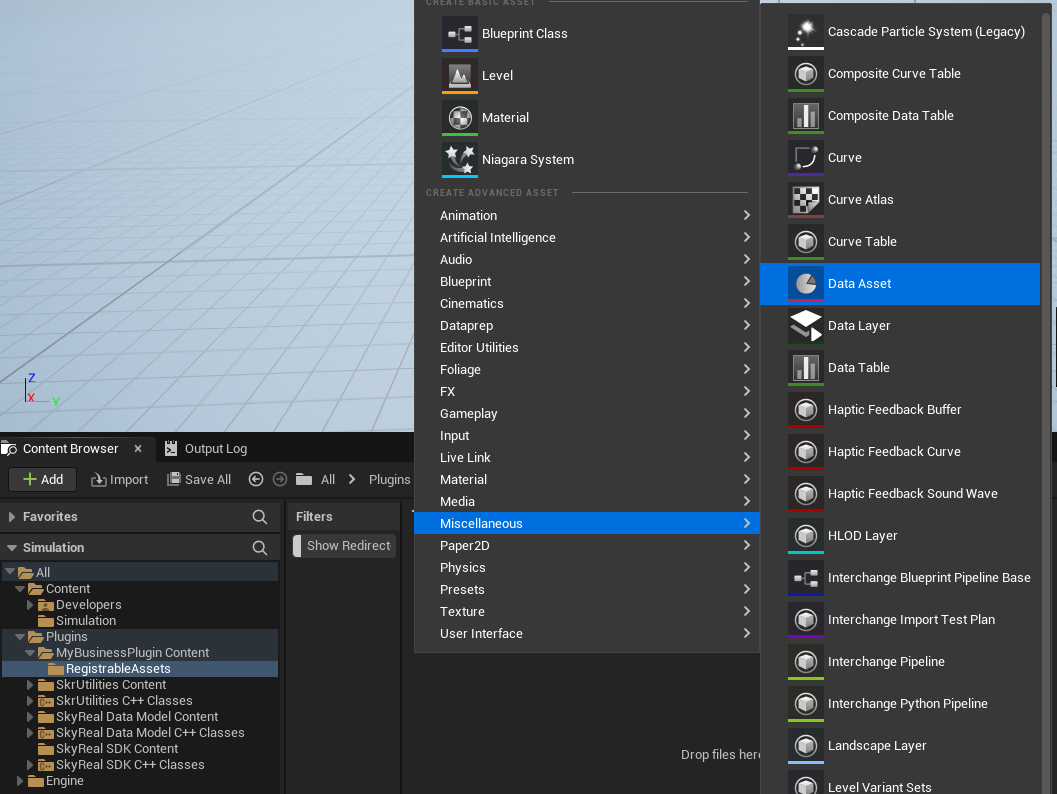
-
Next to Component Class To Spawn, click + to create a Blueprint of type SkrRPCInterfaceComponent. Save it outside
RegistrableAssets: only data assets go there.
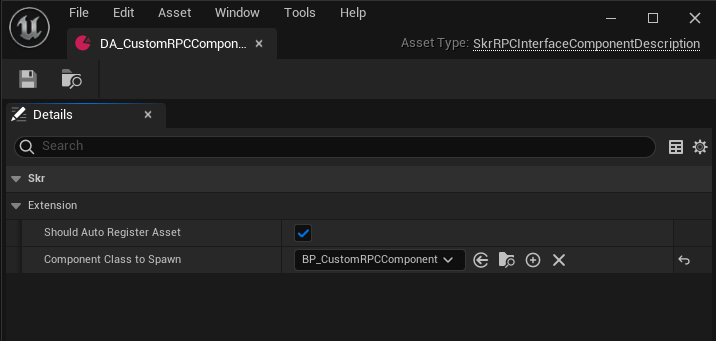
2. Add a server event
-
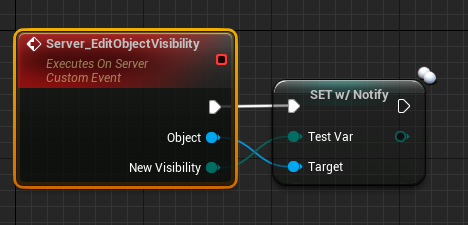
Open the component and add a Custom Event, for example
Server_EditObjectVisibility.
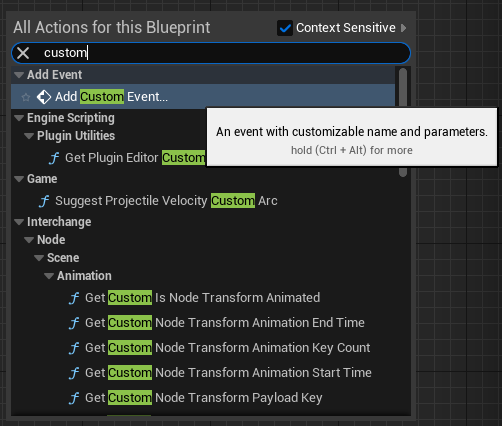
-
In its Details panel, set Replicates to Run on Server.
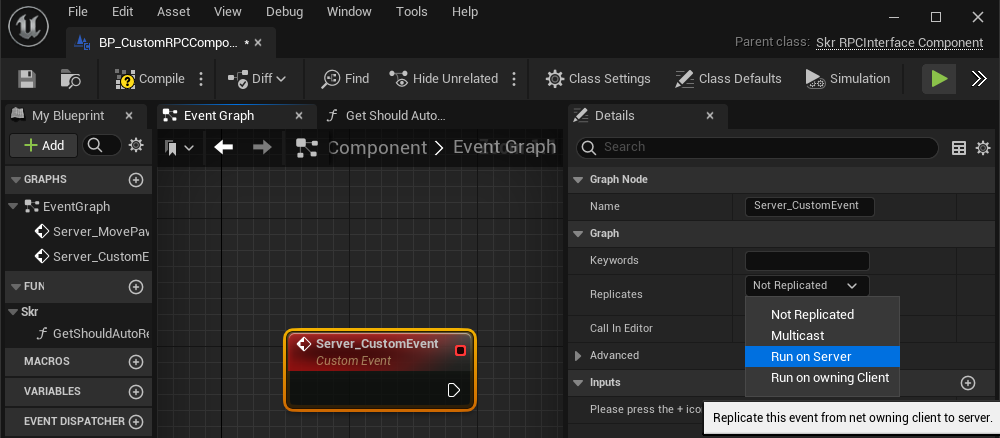
-
Write what the server must do. Here, the event sets the
TestVarRepNotify variable of the target actor.
3. Call it from anywhere
From any Blueprint, on any instance:
-
Call Get Rpc Dispatcher with Looked Player Controller = Get Player Controller (index 0) and Rpc Class = your component.
-
Cast the result to your component.
-
Call your server event.
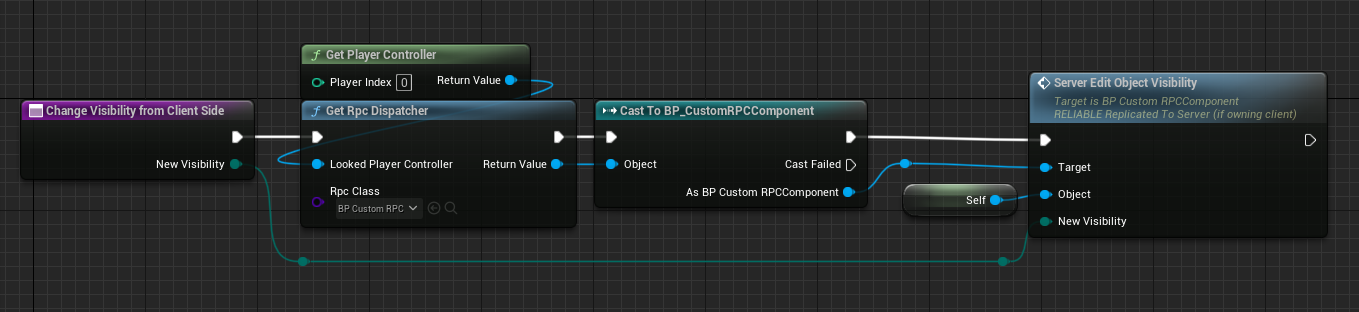
The visibility can now be changed from any instance, and it is synced to everyone. Get Rpc Dispatcher returns the first component of the requested class: give each RPC component its own class.
Spawn an actor from a client
A client cannot spawn a replicated actor itself, and a request cannot return the spawned actor. Skyreal VR provides SkrActorSpawnerRPCDispatcher for this:
-
Call Get Rpc Dispatcher with Rpc Class =
SkrActorSpawnerRPCDispatcher, and cast the result. -
Call Spawn Actor On Server Async Latent with the actor class and its transform.
-
The node is latent: it waits, without blocking the game, until the server has spawned the actor. Then its output gives you the actor.
Leave Actor Registration Rule on Register. It only matters for Skyreal actors such as manikins, measures or physics objects, so that they behave like the ones Skyreal creates. It has no effect on an actor whose parent class is Actor.