
Managing Closed Kinematic Loops and Overconstraints in XDE
In XDE, when a Rigid Body is child of multiple joints, the joint model must be adapted. The Reduced Model, used by default, is not suitable for these configurations and must be replaced with either a Compliant or Multiplier model to ensure the simulation functions correctly.
As in classical mechanics, complex assemblies involving closed kinematic loops can lead to overconstraints. These occur when multiple joints impose redundant or incompatible conditions on a mechanism's degrees of freedom.
XDE provides three joint models:
-
Reduced Model (Default): Used for simple kinematic structures without complex closed loops. It relies on geometric resolution and is the most computationally complex approach.
-
Compliant Model: Introduces spring-based joints to add flexibility and prevent the mechanism from becoming overconstrained. This is the simpler approach, but excessive compliance can make the mechanism behave too flexibly, reducing physical realism and control over its movements.
-
Multiplier Model: Requires more advanced mechanical engineering knowledge. Instead of introducing flexibility, this approach involves identifying and modifying the overconstraining joints to restore the necessary degrees of freedom. For example, replacing a Hinge joint with a Point on Line joint can eliminate redundant restrictions while preserving more precise control over the mechanism.
For complex assemblies with multiple parent relationships, using Reduced alone is not sufficient. Choosing between Compliant and Multiplier is necessary for the correct operation of the mechanism. For the most accurate and controlled results, the Multiplier Model is the preferred approach when sufficient mechanical engineering expertise is available.
Throughout this documentation, we will use the same mechanical assembly as a reference example: the articulated arm shown below.
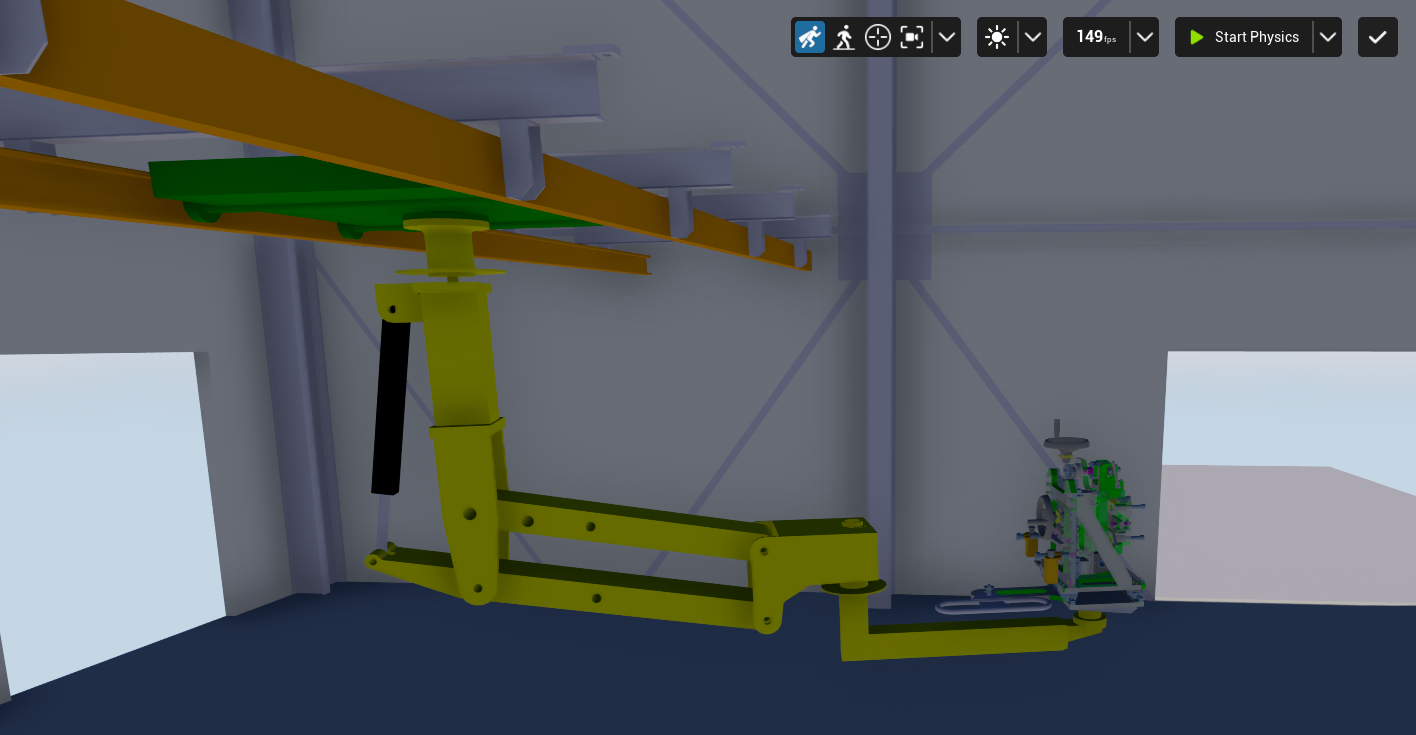
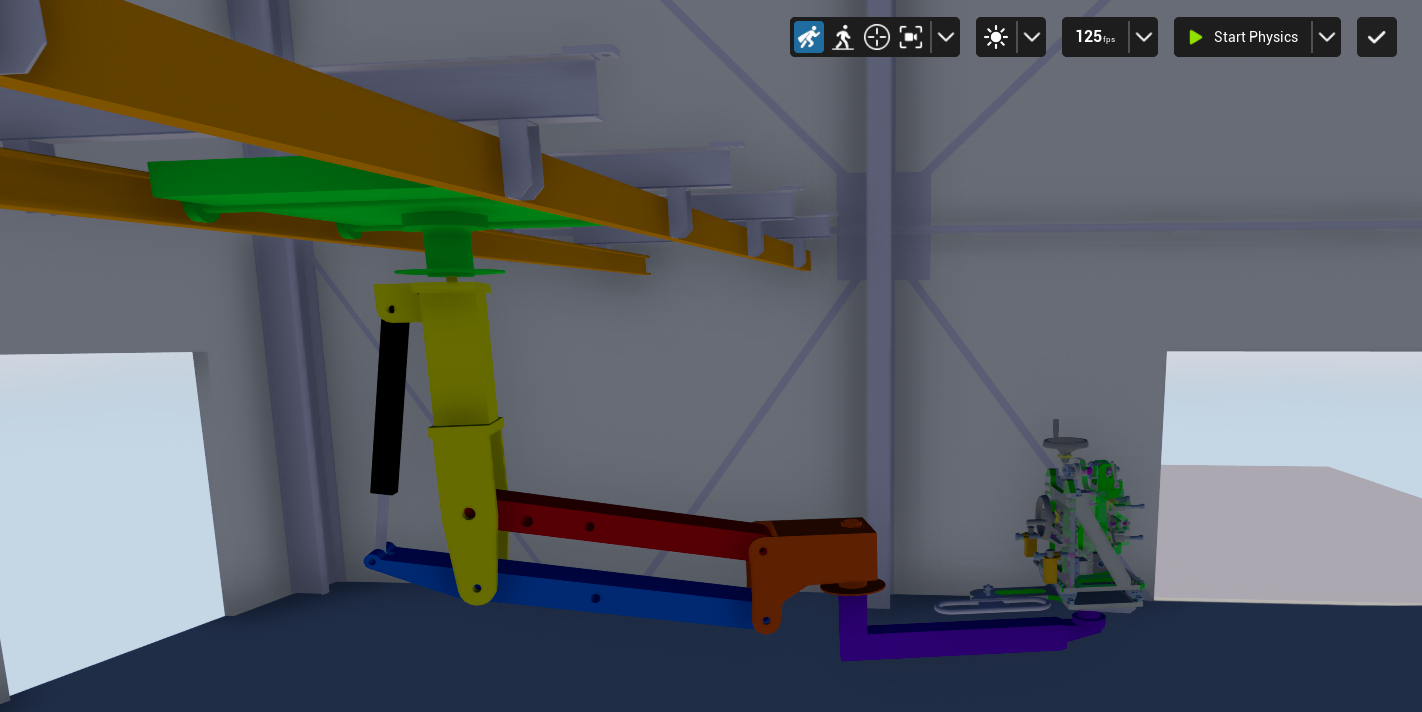
To make the diagrams easier to understand and follow, each component of the assembly will be represented by a distinct color. This color coding will remain consistent throughout the documentation to help identify the different parts and their relationships.
How to Identify and Resolve Joint Model Issues
1. Initial mechanism layout
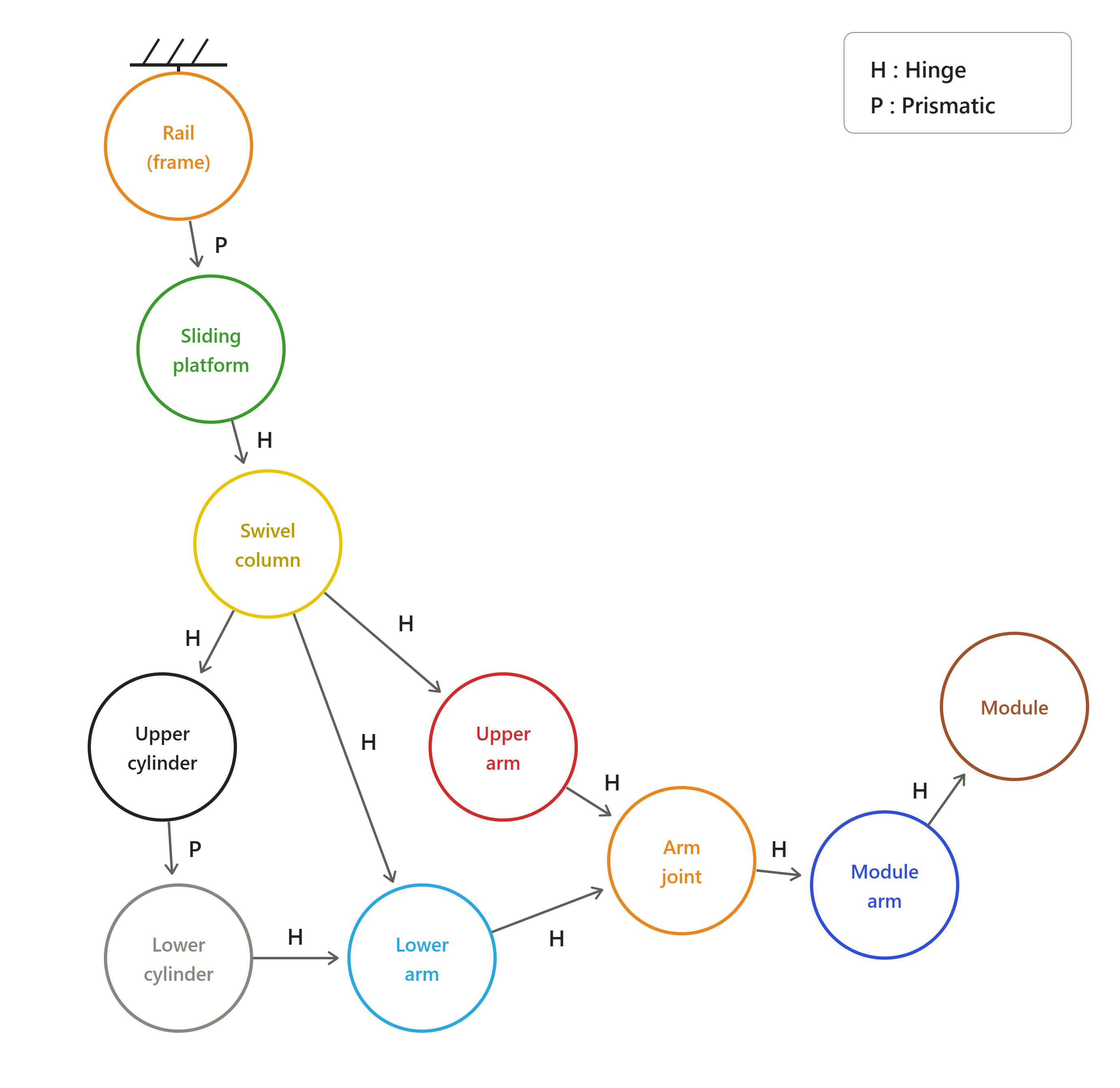
This initial diagram shows the mechanism in its nominal configuration, with its different rigid bodies and kinematic joints.
2. Default setup: all joints are Reduced
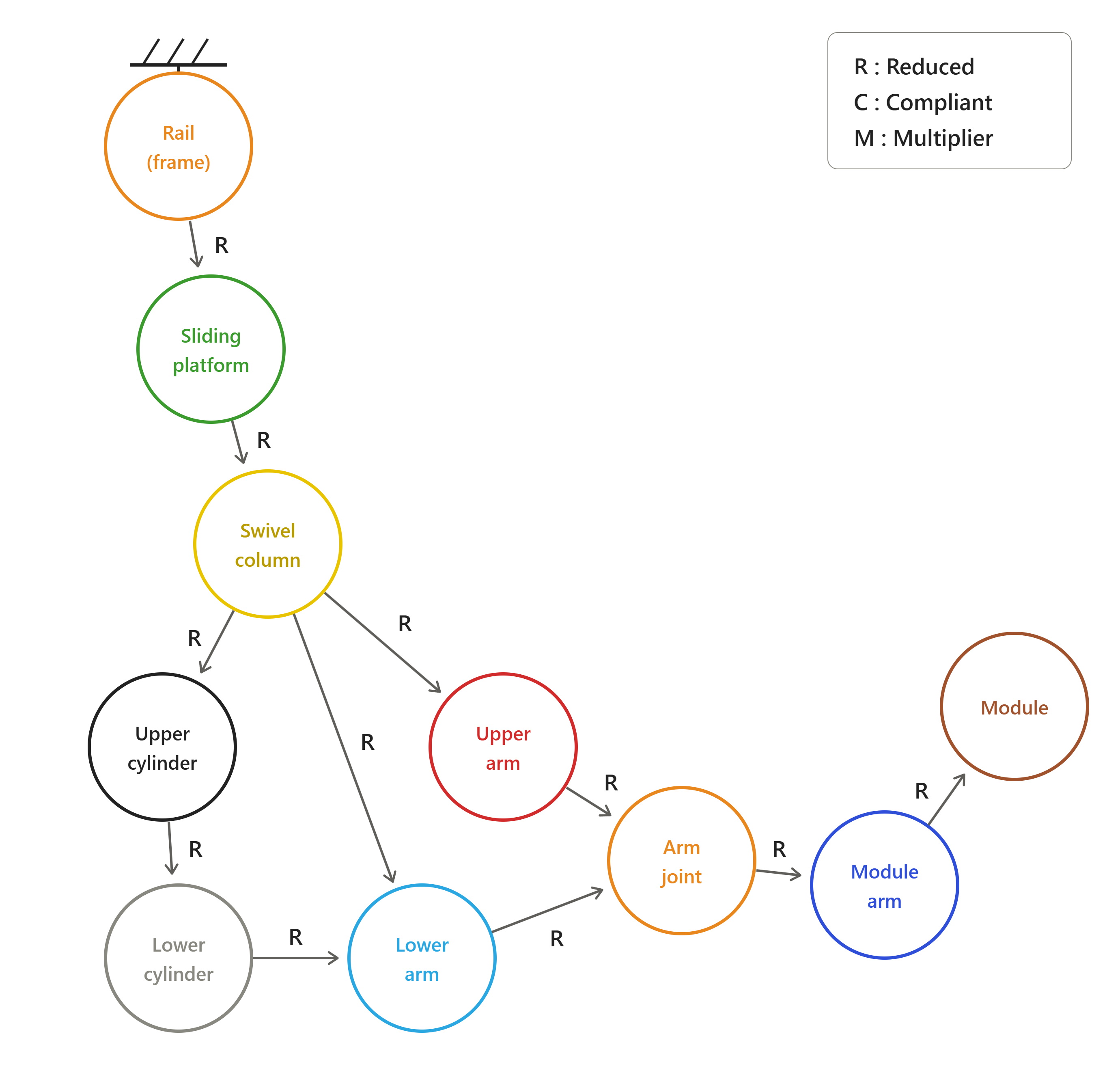
In the default setup, all joints are defined using the Reduced model.
This works well as long as the mechanism remains tree-like and no rigid body is constrained by multiple parents.
3. Problem detected, multiple parents
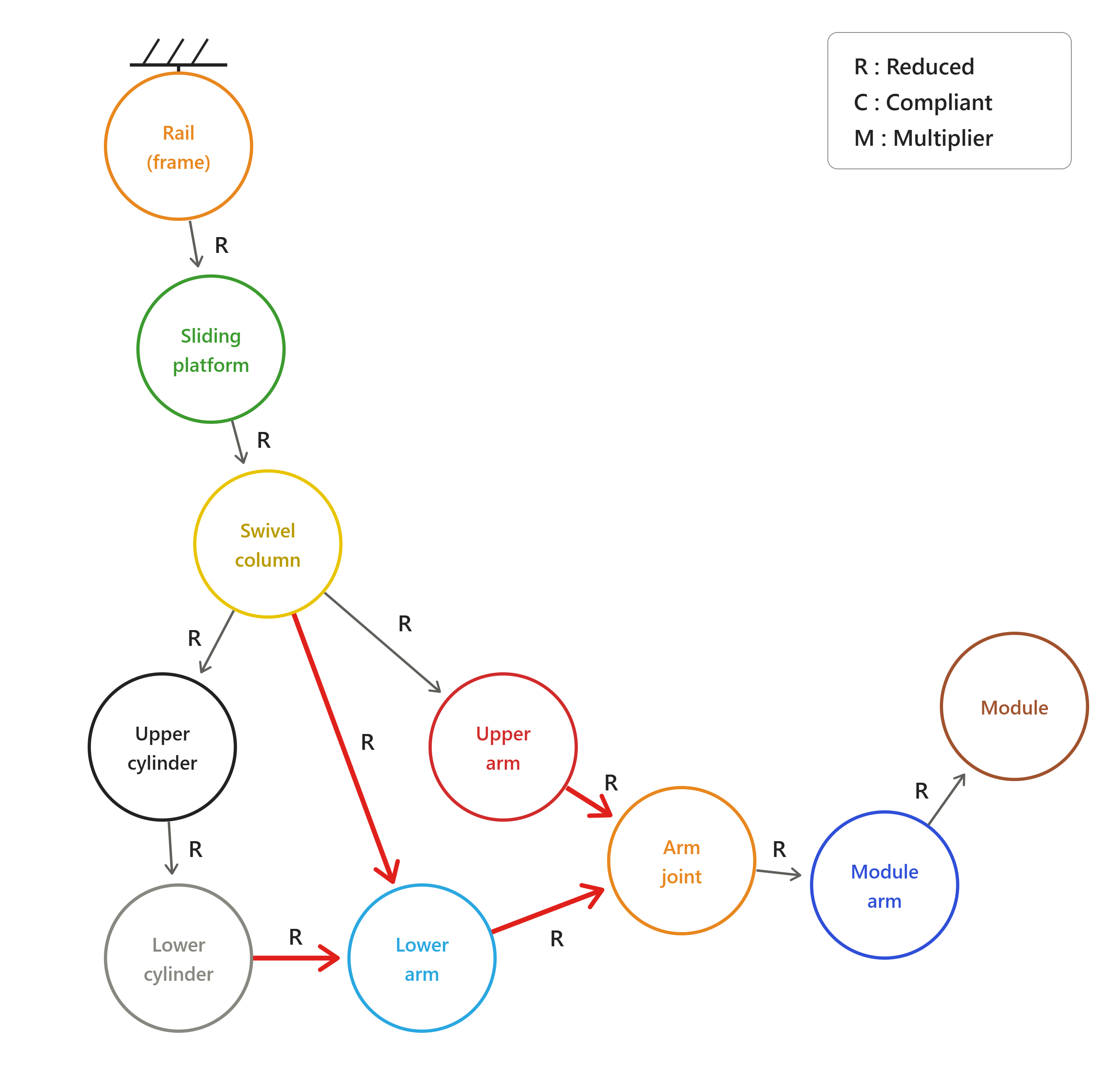
A problem appears when a rigid body is connected to multiple parents.
In this case, the Reduced model is no longer suitable, because it creates an overconstrained configuration that may lead to incorrect or unstable behavior.
4. Solution by Compliant joints
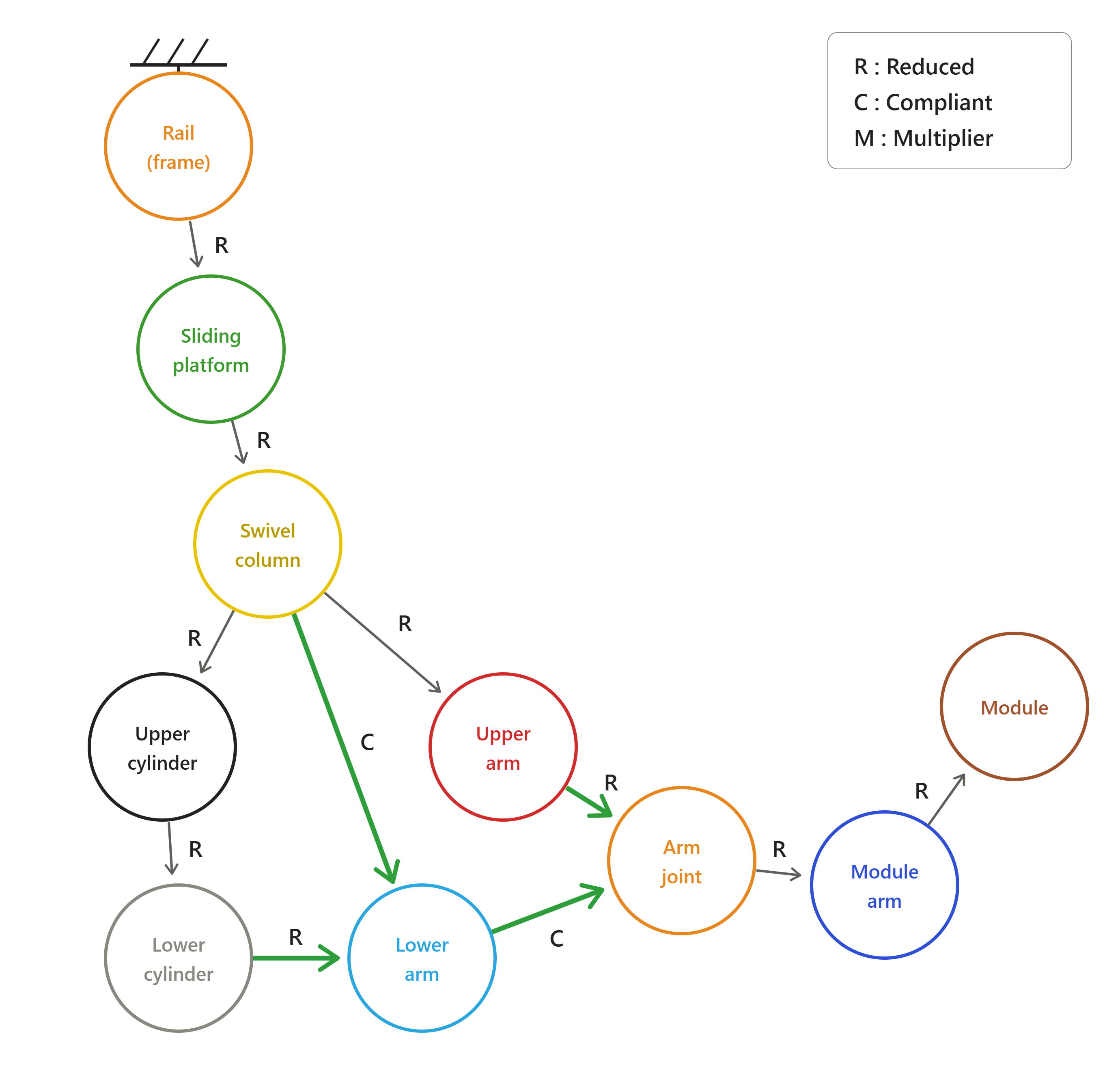
A first way to solve the issue is to replace the problematic Reduced joints with Compliant ones.
This approach is easier to implement because it relaxes the system by introducing spring-like behavior.
However, it may also make the mechanism too flexible, reducing realism and control.
5. Solution by Multiplier joints
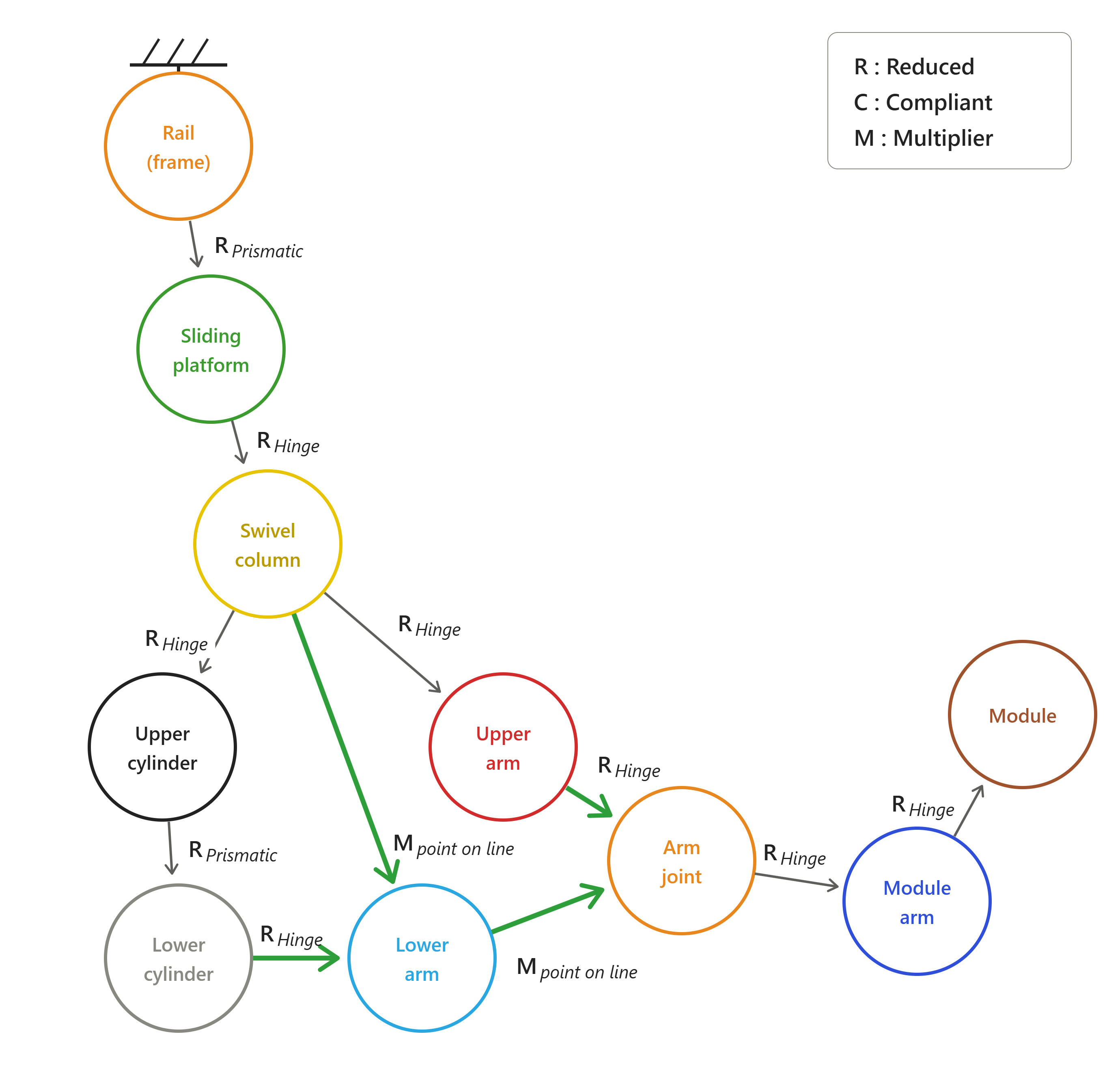
A second, more controlled solution is to replace the problematic joints with Multiplier joints.
In those cases, this also requires changing the joint type itself in order to restore the missing degrees of freedom.
For example, a Hinge joint need to be replaced with a Point on Line joint.
Additional case : Freezed last body
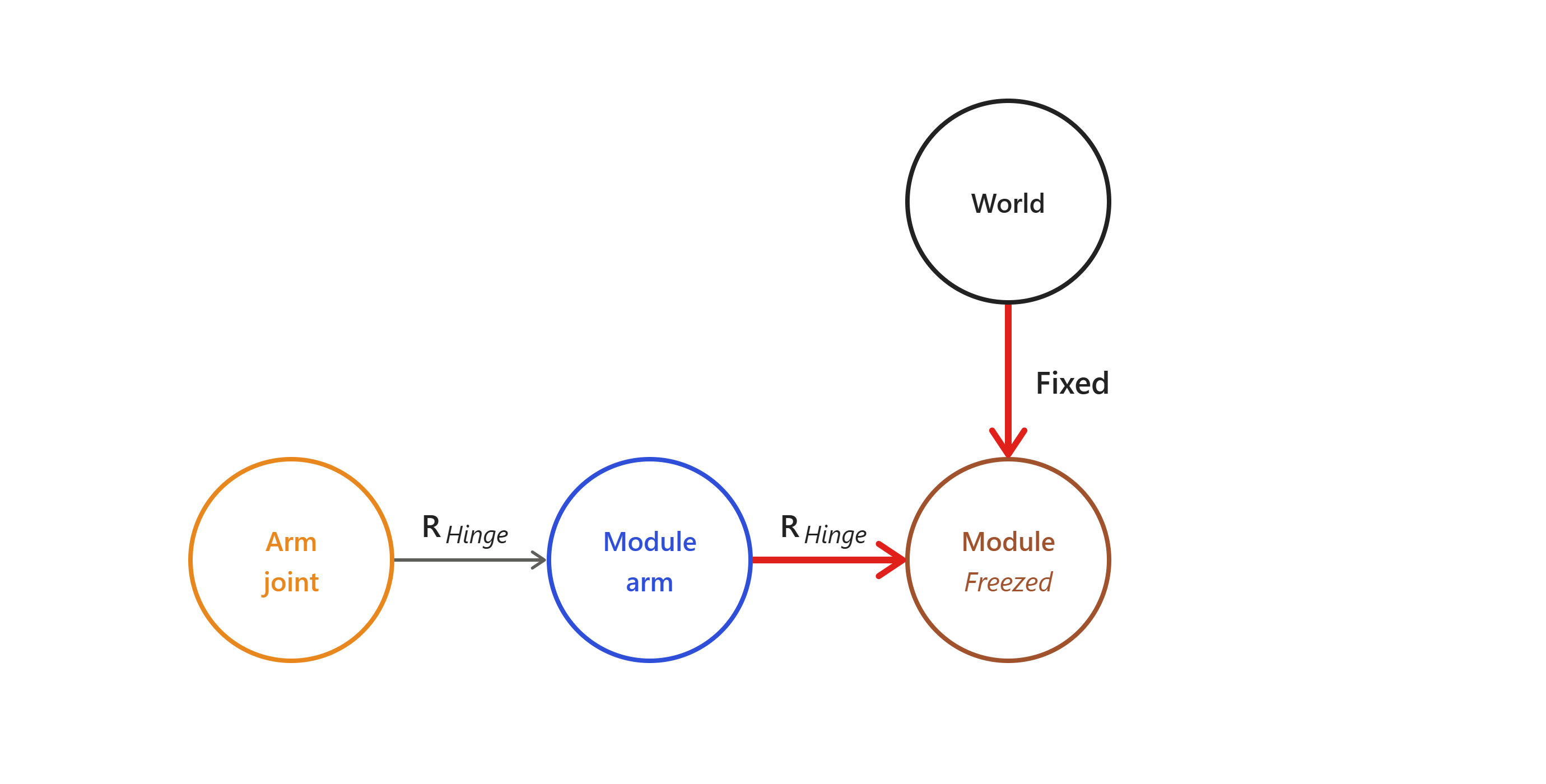
If the last rigid body in the chain is set to Freeze, it behaves as if it were constrained to the World through a Fixed joint.
As a result, the same issue appears again: the rigid body is effectively linked to multiple parents, which recreates the original overconstraint problem.
Solution with Freeze: switch to Compliant
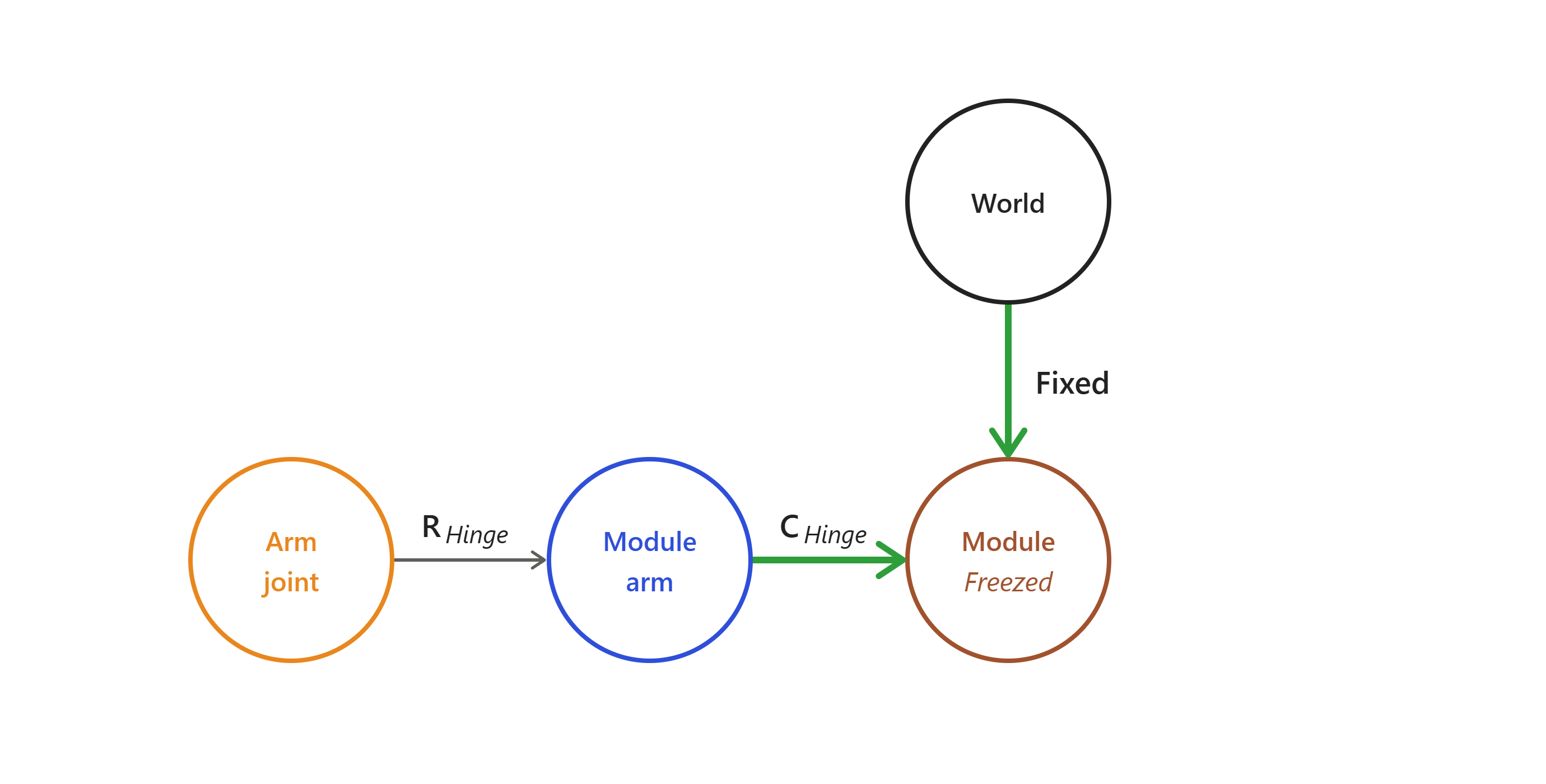
One way to resolve this configuration is again to replace the problematic joints with Compliant ones.
In this very case, using Multiplier model can lead to instability and shaking behaviors.