
MSD Analysers
Skyreal VR scores the ergonomics of each manikin posture (MSD, RULA method). If these scores do not match your company's ergonomic standards, add your own analyser in an extension. To add a manikin to a level first, see Manikins.
How it works
Each manikin runs a chain of analysers on every frame. By default:
|
Analyser |
Computes |
|---|---|
|
|
The X, Y, Z angles of the analysed bones. |
|
|
The RULA score of each bone. |
|
|
The RULA score of the back, the left side, the right side, and the worst of them. |
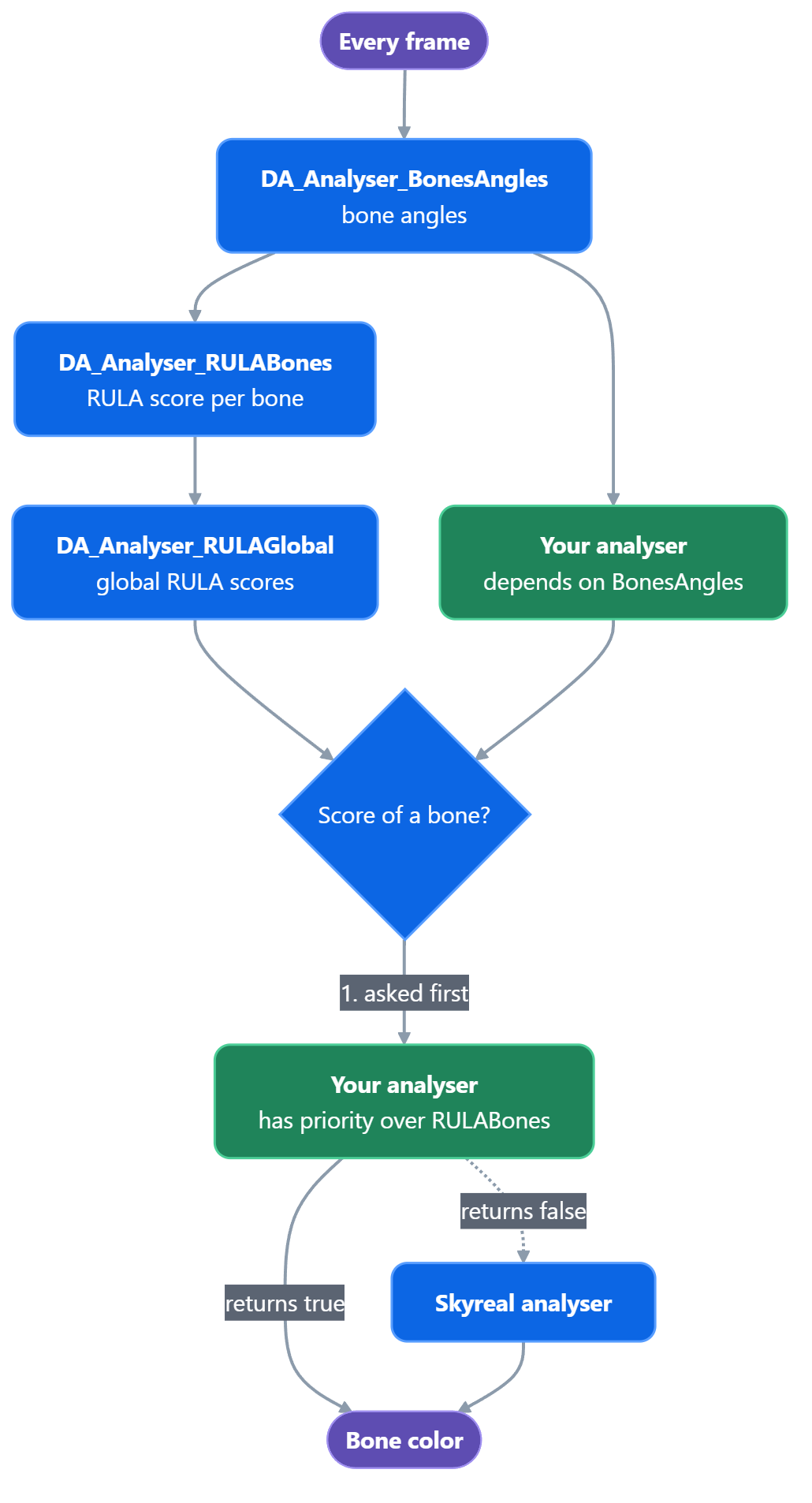
To color each bone, Skyreal asks the analysers for its score in priority order: the first one that answers wins. To replace a Skyreal score, give your analyser priority over the Skyreal one.
Create an analyser
-
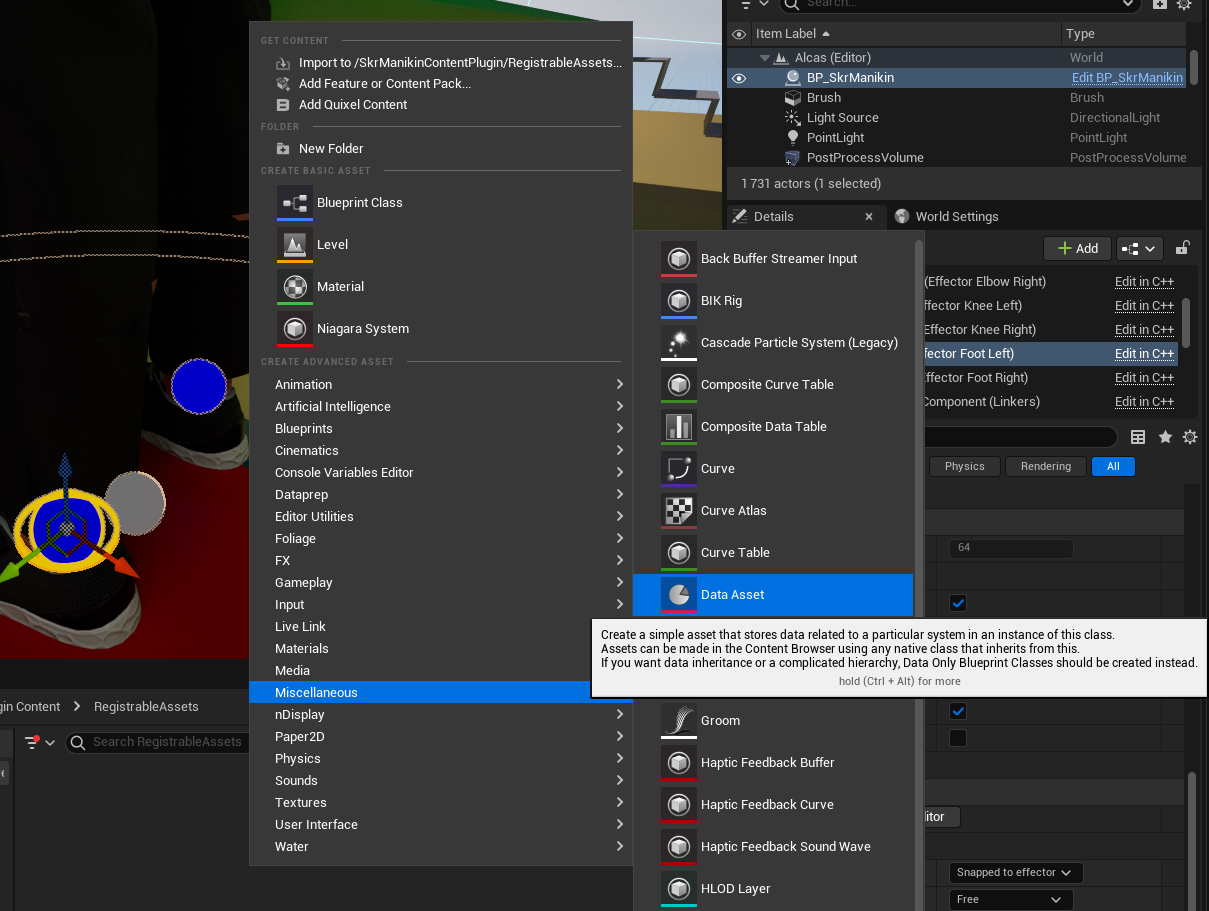
In your extension's
RegistrableAssetsfolder, create a data asset of type SkrManikinAnalyserDescription.
-
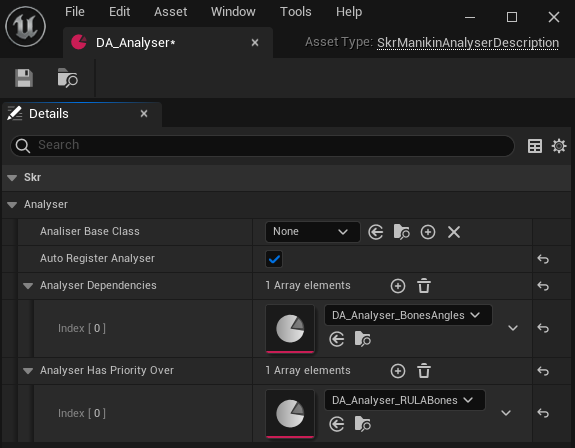
Fill its fields:
-
Analyzer Dependencies: analysers that must run before yours (e.g.
DA_Analyser_BonesAnglesto use the bone angles). -
Analyzer Has Priority Over: analysers whose score yours replaces.
-
Tick the auto-register option so that every manikin uses it.
-
-
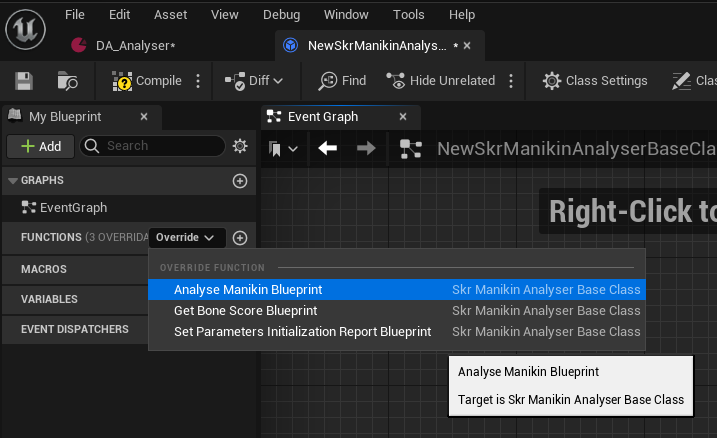
Create a Blueprint whose parent class is SkrManikinAnalyserBaseClass, in your extension but outside
RegistrableAssets. Set it as Analyzer Base Class in the data asset. -
In this Blueprint, override the functions you need:
|
Function |
When |
Role |
|---|---|---|
|
Analyse Manikin Blueprint |
Every frame |
Computes your data and writes it to the report. |
|
Get Bone Score Blueprint |
Every frame |
Returns the score of a bone from the report. Return true to answer, false to let the next analyser answer. |
|
Set Parameters Initialization Report Blueprint |
At startup |
Sets the parameters of your computation. |
Example: a feet analyser.
Analyse Manikin Blueprint override:
Get Bone Score Blueprint override:
Check your results
Place a manikin in your level, then in its Details panel:
-
Toggle MSD shows the scores on the body, with the colors of the winning analyser.
-
Generate MSD Report writes a JSON report in your project's
Savedfolder. It is the same report Skyreal VR exports at runtime.